
2 posts tagged with "Power Apps"

Canvas apps and Power Platform at platform scale.

View All Tags

Canvas apps at platform scale: push work to Dataverse

· 6 min read

Sai Prudhvi Neelakantam
Senior Consultant, Data Engineering & AI at Evidi

Canvas is wonderful until one screen becomes a distributed system: nested galleries, OnStart fan-out, and business rules living in Power Fx because it was faster.

Microsoft's own performance reference architectures push a clear direction. Move heavy work toward Dataverse and keep screens focused.
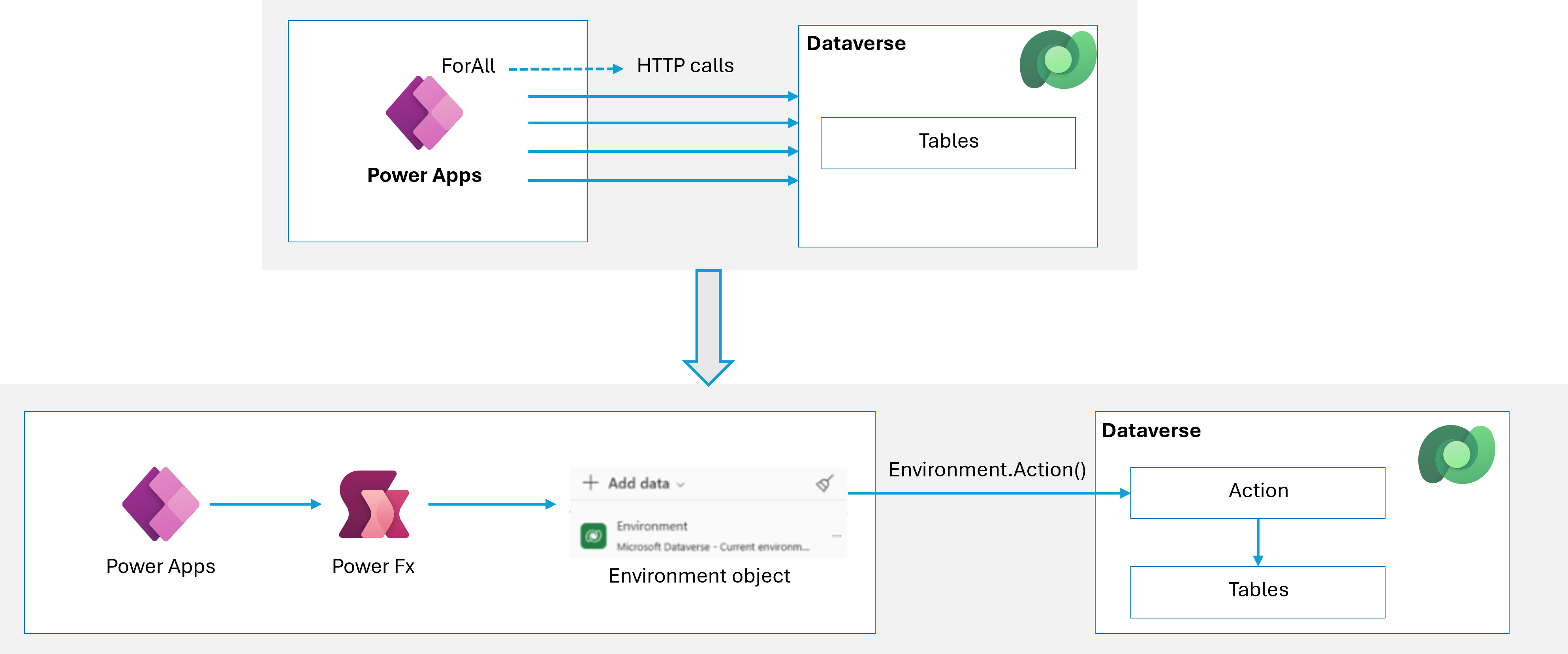
Canvas app performance reference architecture

Figure 1. Optimize canvas apps with platform-aligned architecture. Source: Microsoft Learn: optimize canvas app performance.
AI import UX is governance: default-deny uncertain rows

· 6 min read
Sai Prudhvi Neelakantam
Senior Consultant, Data Engineering & AI at Evidi

Auto-selecting every AI-analyzed row feels helpful. It is how bad master data enters production with a smile. Users trust the model highlight. They click Import. Months later someone asks why an unknown code became a real record.

Treat AI import UX as governance. Default-deny uncertain rows. Validity rules follow the live section schema (visible columns), not a hard-coded spreadsheet layout. Footer status separates "selected" from "valid to import." Prompt schema and UI selection policy are one product surface.

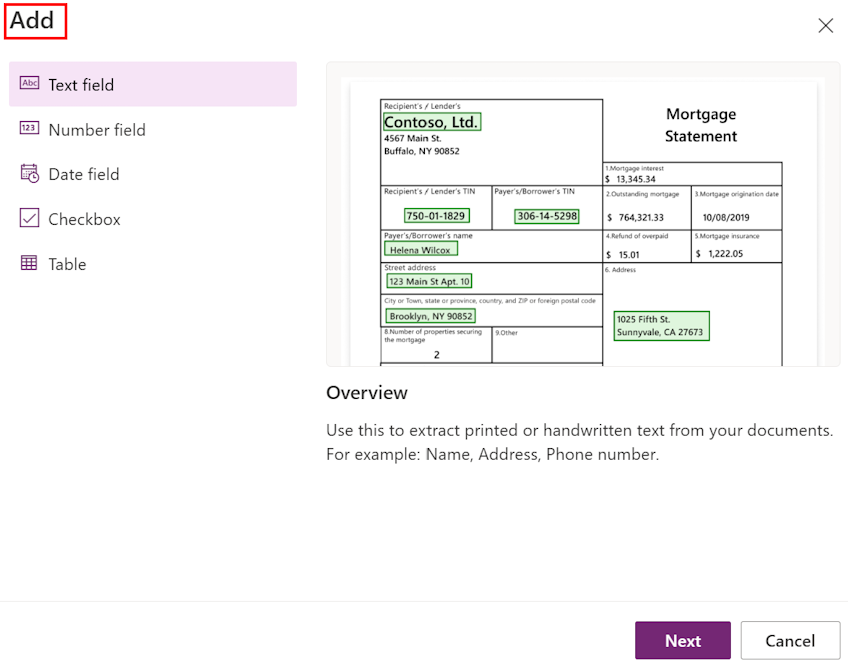
AI Builder choose information to extract

Figure 1. Import UX is governance. Selection policy and field validity belong with the live schema, not a default-select-all. Source: Microsoft Learn: create a document processing model.

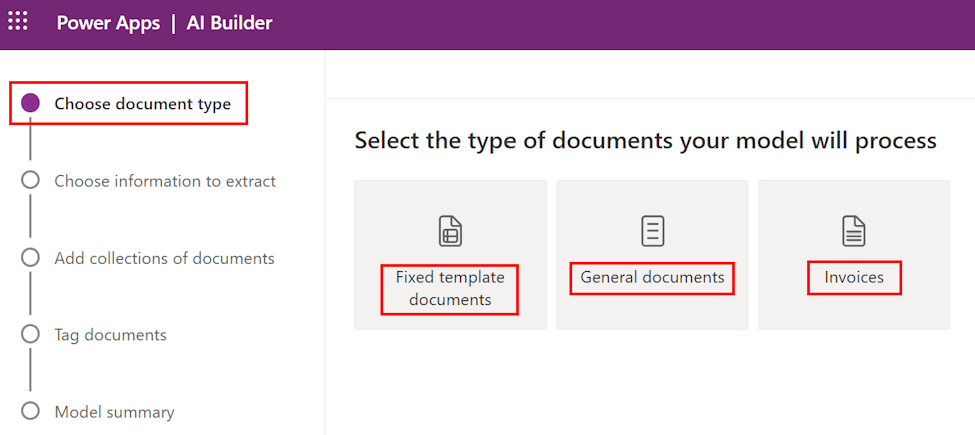
AI Builder select documents type

Figure 2. Who may import, and which rows count as valid, should be enforceable policy rather than a UI suggestion. Source: Microsoft Learn: create a document processing model.