6 posts tagged with "Azure"

Azure platform, networking, identity, and deployment notes.

View All Tags

POC public vs MVP private: networking as architecture for agent apps

· 7 min read
Sai Prudhvi Neelakantam
Senior Consultant, Data Engineering & AI at Evidi

A public POC proves the product loop. A private MVP proves you can survive enterprise networking.

Those are different architectures. Do not fake the second by adding more env files.

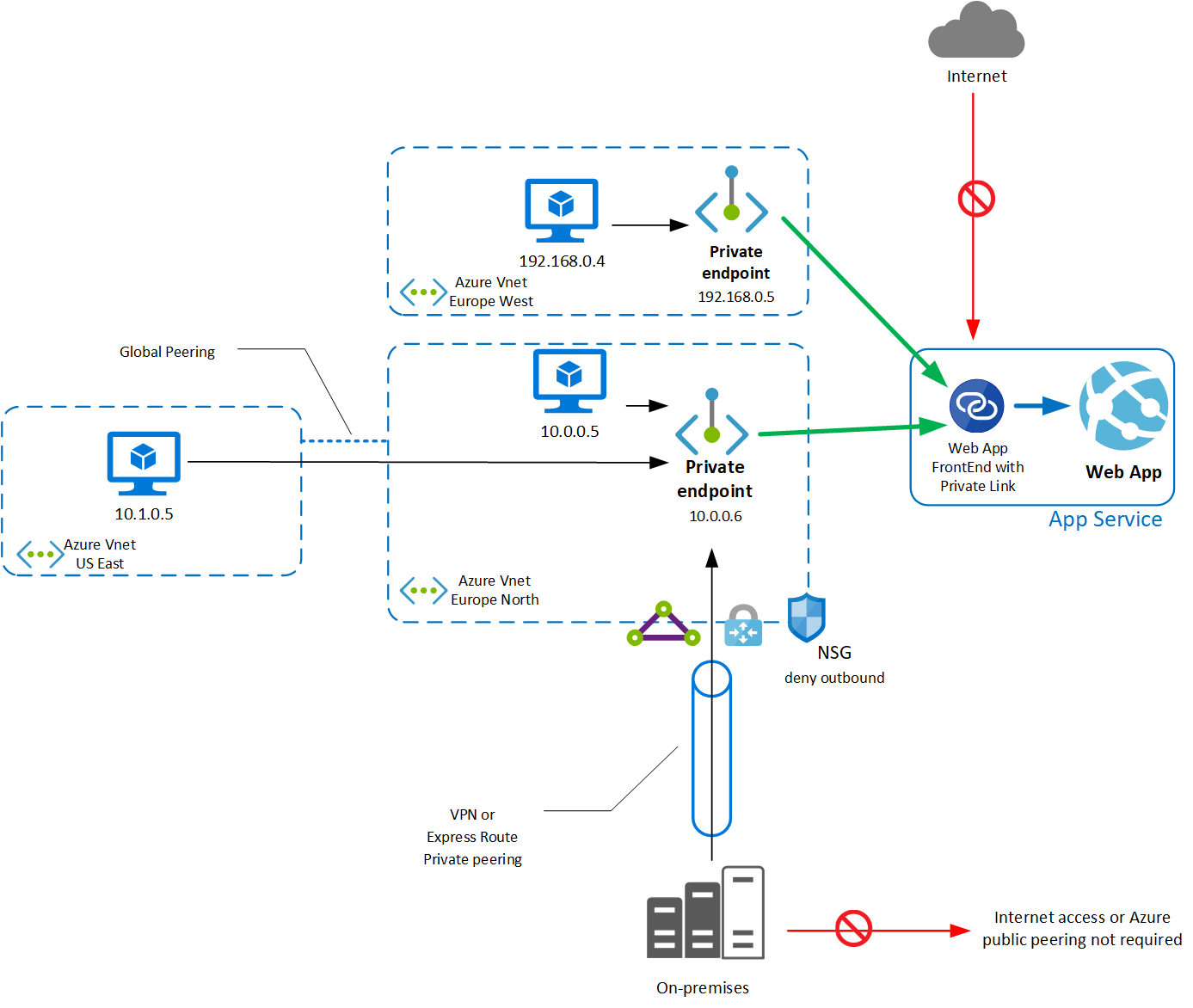
App Service private endpoint schematic

Figure 1. Private endpoint pattern for App Service. Source: Microsoft Learn: App Service private endpoints.

Env files are not environments: isolate with Azure CLI discipline

· 6 min read
Sai Prudhvi Neelakantam
Senior Consultant, Data Engineering & AI at Evidi

Six nearly identical .env.example files feel thorough. They guarantee drift. Someone updates three. Prod still reads the fourth. Agents and humans resolve different paths. The repo looks configured. The cloud is the actual environment, and nobody agrees which subscription is live.

Treat Azure CLI context (subscription, resource group, identity) as the isolation boundary. Keep a small set of live env files plus stage templates that document names, not secrets. POC and MVP can share product code while keeping separate deploy stages.
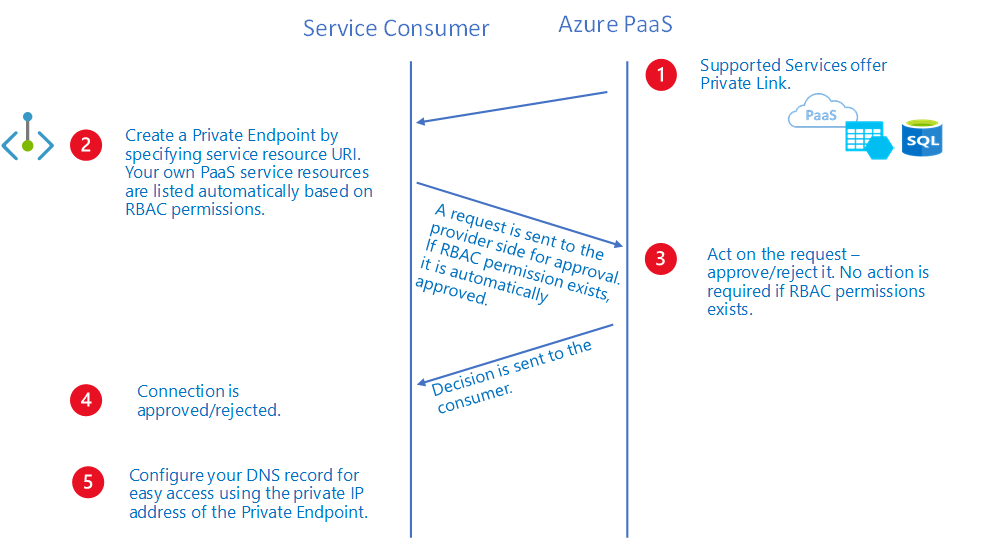
Private Link PaaS workflow diagram

Figure 1. Cloud isolation is subscription, resource group, identity, and network posture. Env files only describe names. Source: Microsoft Learn: private endpoint overview.
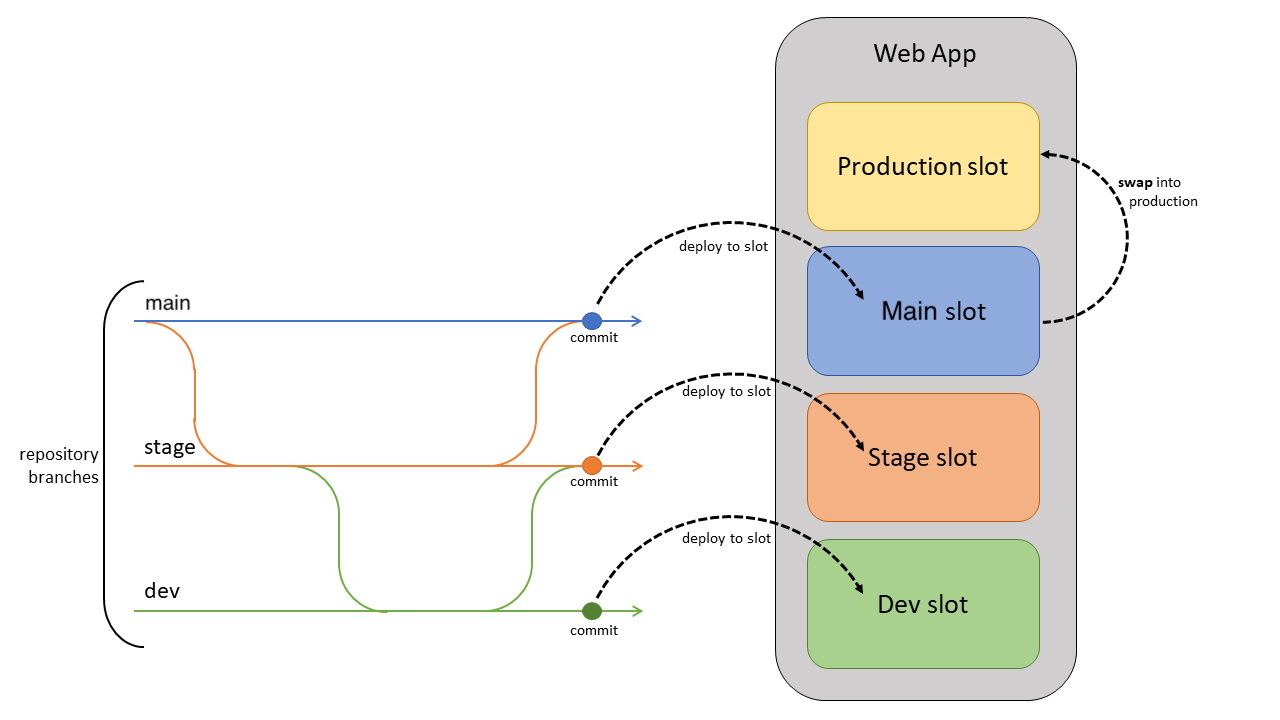
App Service deployment slot flow diagram

Figure 2. POC and MVP can share product code while keeping separate deploy stages and Azure CLI contexts. Source: Microsoft Learn: App Service deploy best practices.

Signing in is not authorization: app access is not agent access

· 6 min read
Sai Prudhvi Neelakantam
Senior Consultant, Data Engineering & AI at Evidi

Most “AI app” demos collapse three different questions into one login button:

  1. Can this person open the shell?
  2. Which agents are they allowed to talk to?
  3. Which knowledge are they allowed to see, download, or ground answers on?

In a real enterprise agent webapp, those are three different control planes. Treat them as one and you get either a security hole or a support nightmare.

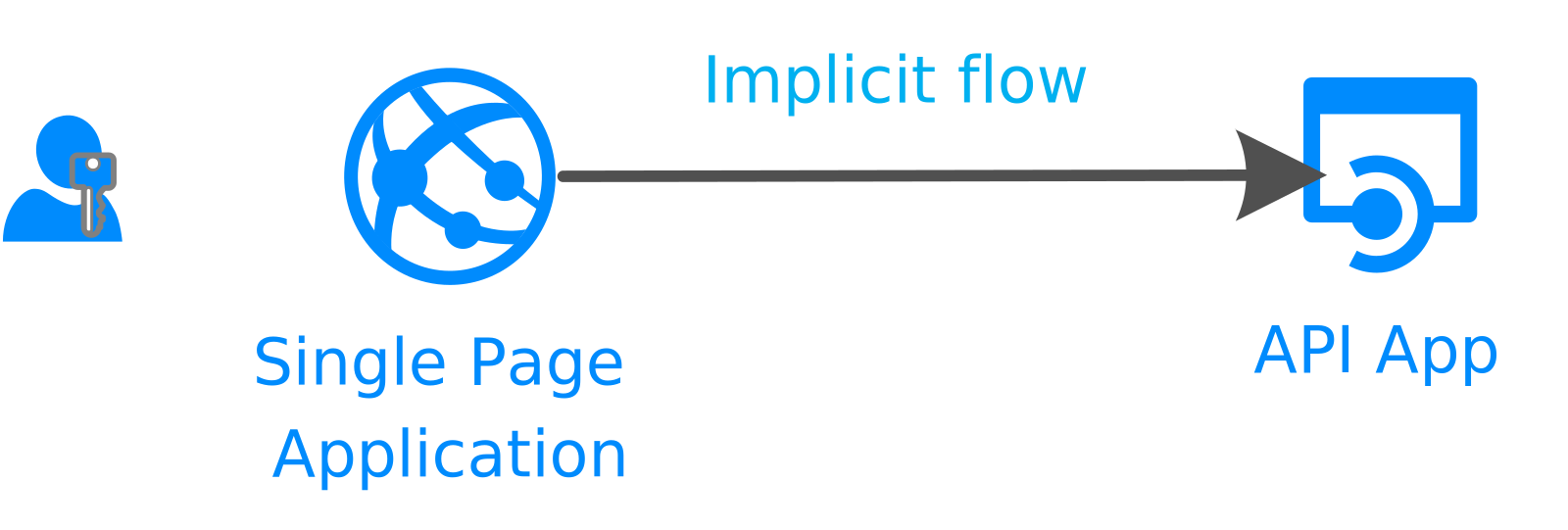
Official Microsoft identity platform diagram: single-page app calling a web API

Figure 1. SPA calling a web API. Authentication gets you a token; authorization still has to happen on the API. Source: Microsoft Learn: authentication flows and app scenarios.

Knowledge RBAC for enterprise agents: same gates for chat, browse, and citations

· 5 min read
Sai Prudhvi Neelakantam
Senior Consultant, Data Engineering & AI at Evidi

An agent that answers from documents is only as trustworthy as the document permissions behind it.

Teams often lock the chat endpoint carefully, then leave library browse and citation PDF downloads open to anyone who can sign in. That is not a knowledge boundary. That is a second door with a nicer UI.

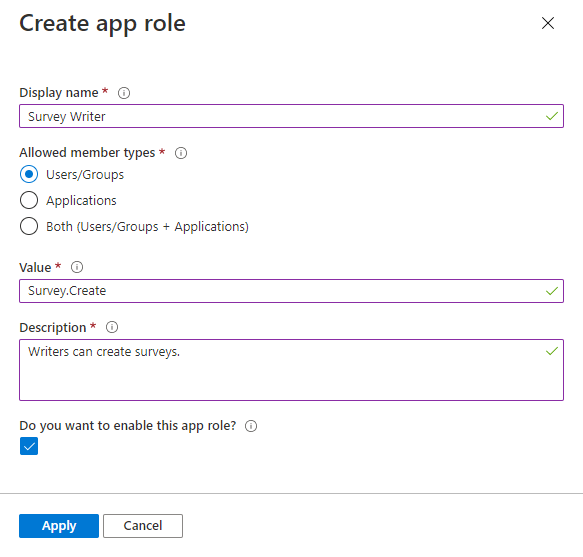
Create an app role in Microsoft Entra

*Figure 1. Product capabilities belong as app roles on the API. Source: Microsoft Learn: add app roles.

Agent sessions vs the shell app: what should survive refresh

· 6 min read
Sai Prudhvi Neelakantam
Senior Consultant, Data Engineering & AI at Evidi

Users expect ChatGPT rules: close the tab, come back, the thread is still there. Platform agent services often have their own conversation store. Your shell is a third thing.

If those three disagree, you get untitled threads from the portal, agents that look "stopped" after refresh, and incomplete chats that vanish after a new sign-in.

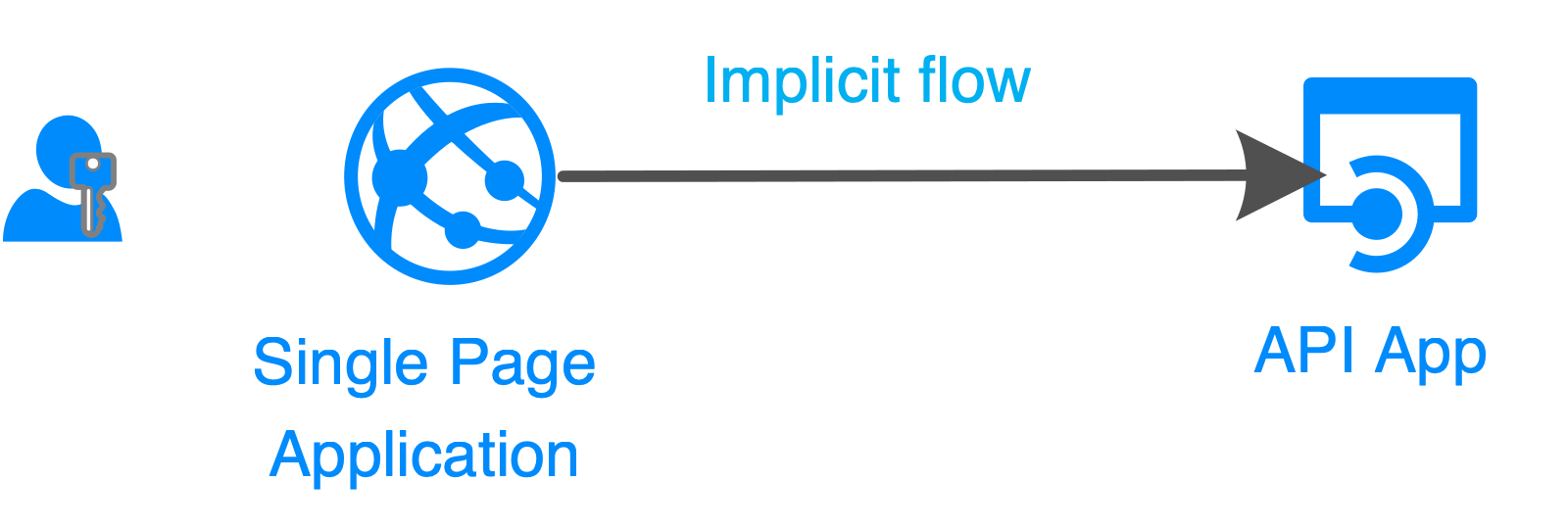
SPA calling a web API

Figure 1. The shell acquires tokens and calls APIs. Conversation durability is a separate design. Source: Microsoft Learn: authentication flows.

The AI shell proxy is a security boundary

· 5 min read
Sai Prudhvi Neelakantam
Senior Consultant, Data Engineering & AI at Evidi

Browser shells tempt teams to over-trust the SPA. The chat UI looks like the product. The proxy in front of the agent backend is where authentication becomes authorization, where egress is constrained, and where dangerous payloads are allowlisted or dropped.

Treat the proxy as a security boundary. Choose Front Door, Application Gateway, or an equivalent pattern deliberately. Do not bolt TLS and authZ on later. Runtime mismatches between local and live proxies create false confidence. Reasoning and passthrough payloads need explicit allowlists. Security reviews should start at the proxy, not at the system prompt.

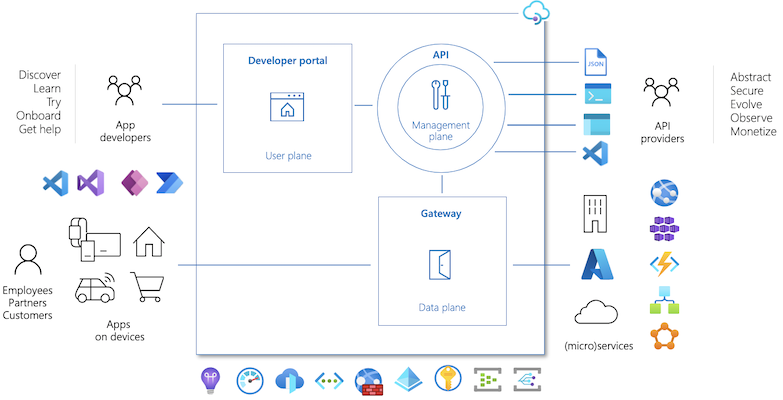
Azure API Management components diagram

Figure 1. Harden the path from browser to agent APIs. Gateway controls are part of the product, not optional polish. Source: Microsoft Learn: API Management key concepts.