4 posts tagged with "Agents"

Enterprise agent apps, sessions, entitlements, and shell UX.

View All Tags

Feature toggles beat hard-coded agent IDs

· 6 min read
Sai Prudhvi Neelakantam
Senior Consultant, Data Engineering & AI at Evidi

Multi-agent shells rot when every new assistant becomes an if-else on agent ids. Microcopy forks. Export prefixes fork. Access checks fork. Soon the SPA is a customer-specific catalog pretending to be a product.

Default-open with overlays. Product feature flags gate shared UX. Per-agent overlay rows carry scope, starters, export prefixes, and access arrays. The SPA never parses JWTs to invent policy. White-label cores stay clean because domain agents are data, not code forks. Test matrices expand by flag, not by customer branch.
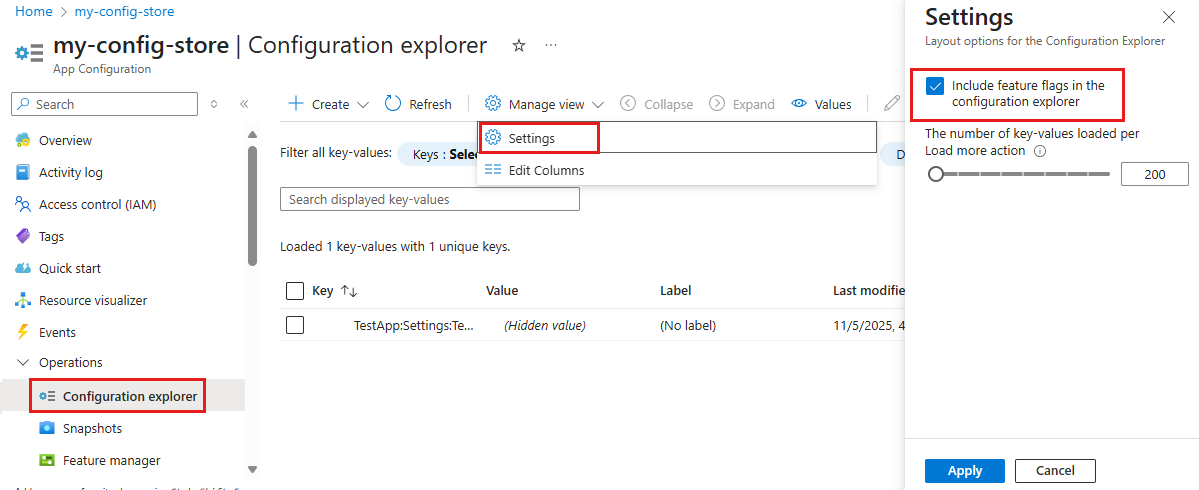
Feature flag configuration explorer in Azure App Configuration

Figure 1. Shared shell UX is a product feature. Agent differences belong in overlay flags the API already authorizes. Source: Microsoft Learn: manage feature flags.
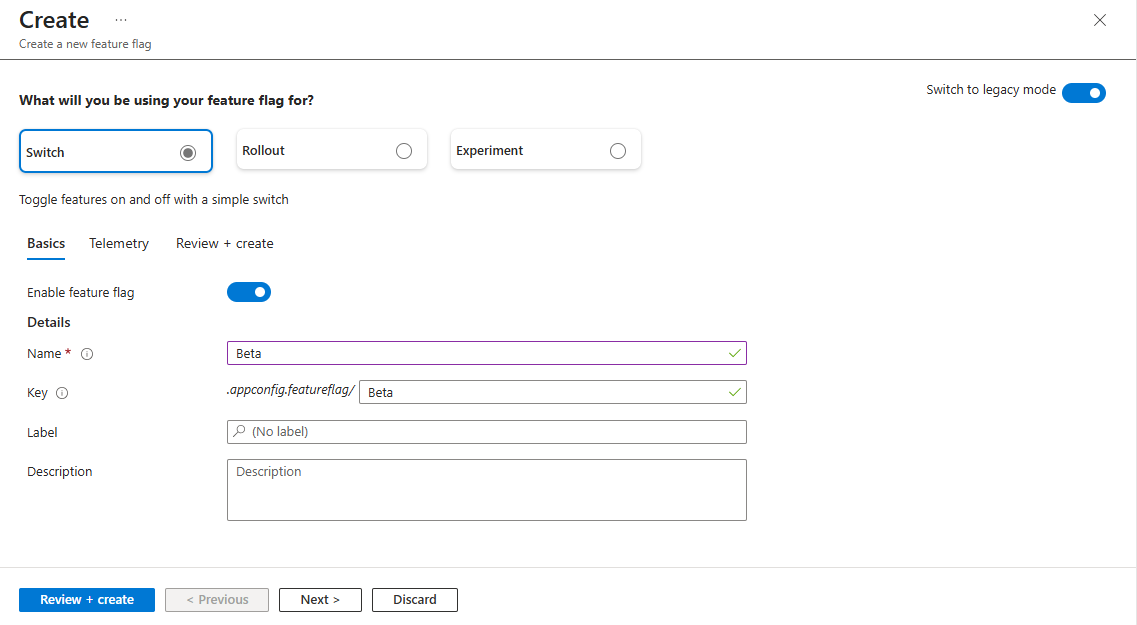
Create a feature flag switch in Azure App Configuration

Figure 2. Feature flags gate surfaces. App roles still decide what the catalog may show. The SPA should not invent policy from JWTs. Source: Microsoft Learn: manage feature flags.
Consolidate Fabric monitoring into one operable skill

· 5 min read
Sai Prudhvi Neelakantam
Senior Consultant, Data Engineering & AI at Evidi

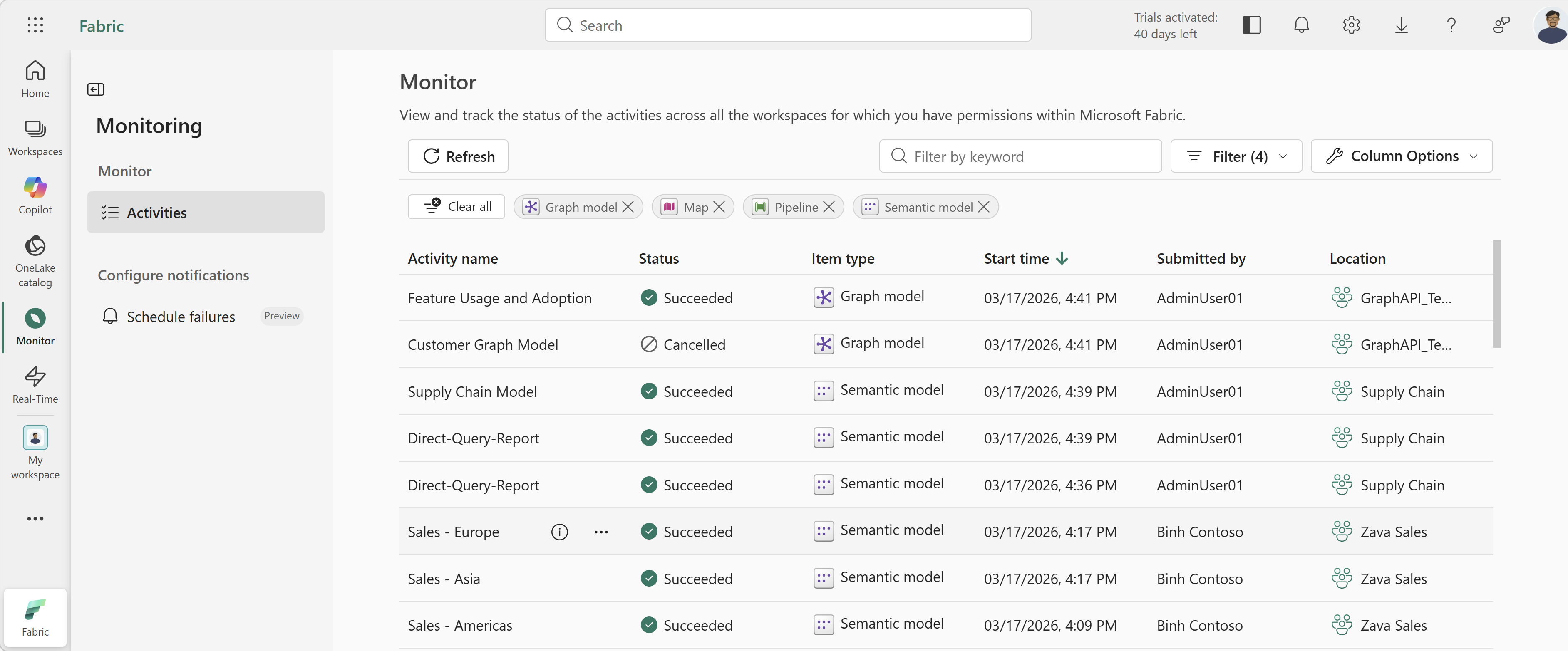
Fabric estates accumulate half-scripts: a notebook that checks capacities, a shell history that lists failed jobs, a wiki page with screenshots from last quarter. Each produces a different health story. On-call picks a favorite. Coding agents inherit the contradiction.

Consolidate into one operable skill. Clear verbs beat tribal shell history. Agents consuming monitor tools need stable output contracts. Separate diagnosis from remediation. Version runbooks like product code. Many half-scripts create contradictory signals; one interface creates a shared truth you can improve.

Fabric monitoring hub table

Figure 1. Monitoring should be an operable interface with stable outputs, not a pile of one-off scripts. Source: Microsoft Learn: monitoring hub.

Pilot the use case, not the agent catalog

· 6 min read
Sai Prudhvi Neelakantam
Senior Consultant, Data Engineering & AI at Evidi

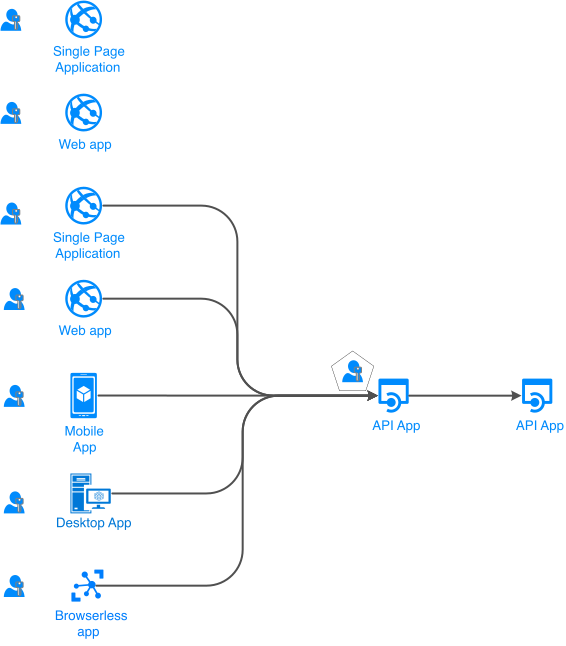
Enterprise agent programs often start from a menu: models, tools, maybe a multi-agent diagram copied from a keynote. The catalog feels like progress. Users still do not know which job the system is supposed to finish.

Start from ranked use cases. Decide orchestrator versus single agent versus tools per job. Pilot decision quality and handoff clarity before you bet the platform on a topology that looked good in a slide.

Microsoft Entra app scenarios involving users

Figure 1. Pilot the job the shell must serve. Agent topology follows the use case, not a catalog of models looking for work. Source: Microsoft Learn: authentication flows and app scenarios.

If you cannot explain the tool calls, you do not have an agent product

· 6 min read
Sai Prudhvi Neelakantam
Senior Consultant, Data Engineering & AI at Evidi

Support opens a session. The UI says two searches and six tools. Foundry traces show something else. App Insights has a third story. Nobody can tell whether the agent searched knowledge, hallucinated a citation path, or the counter lied. That is not a cosmetic bug. That is a missing product surface.

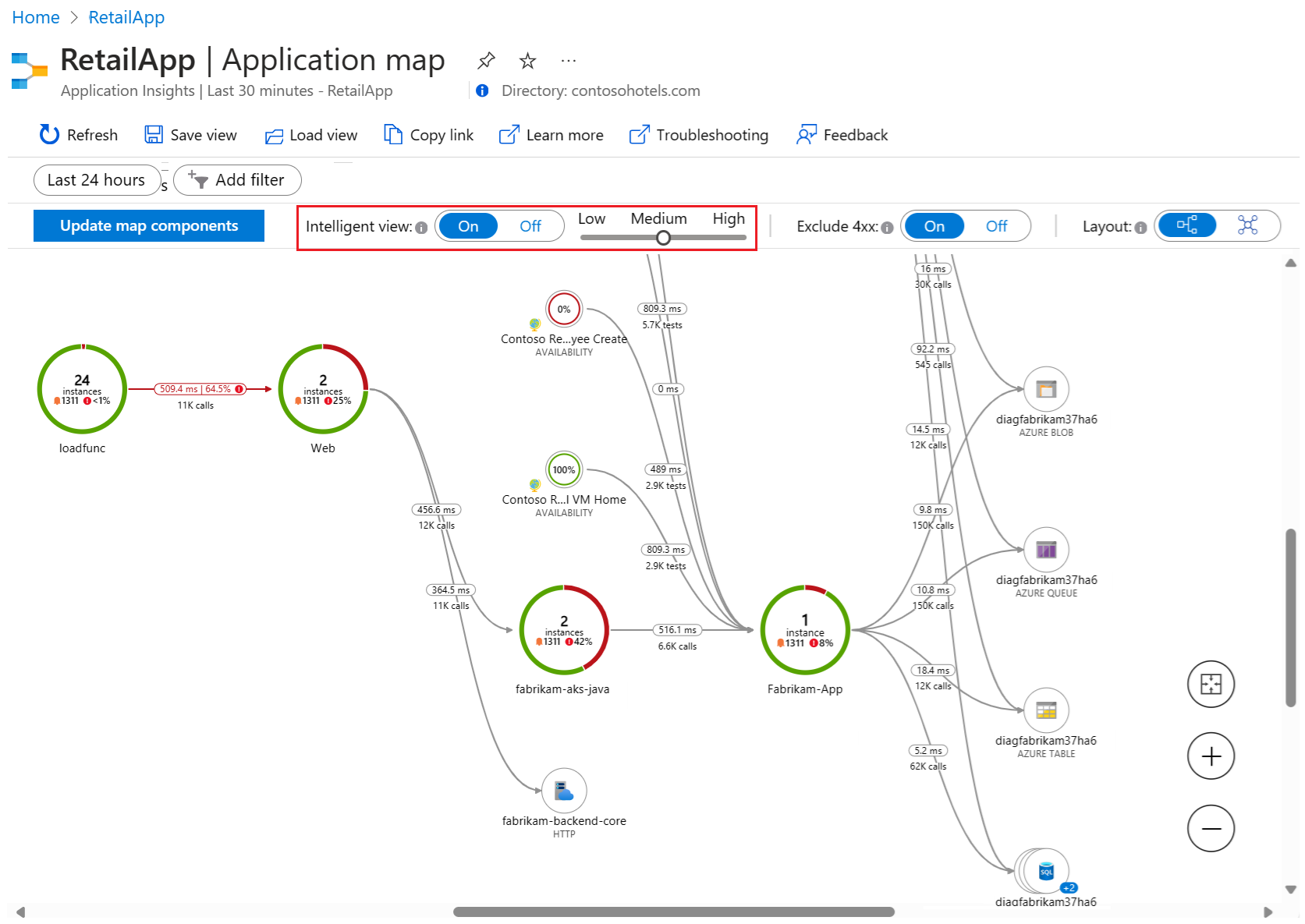
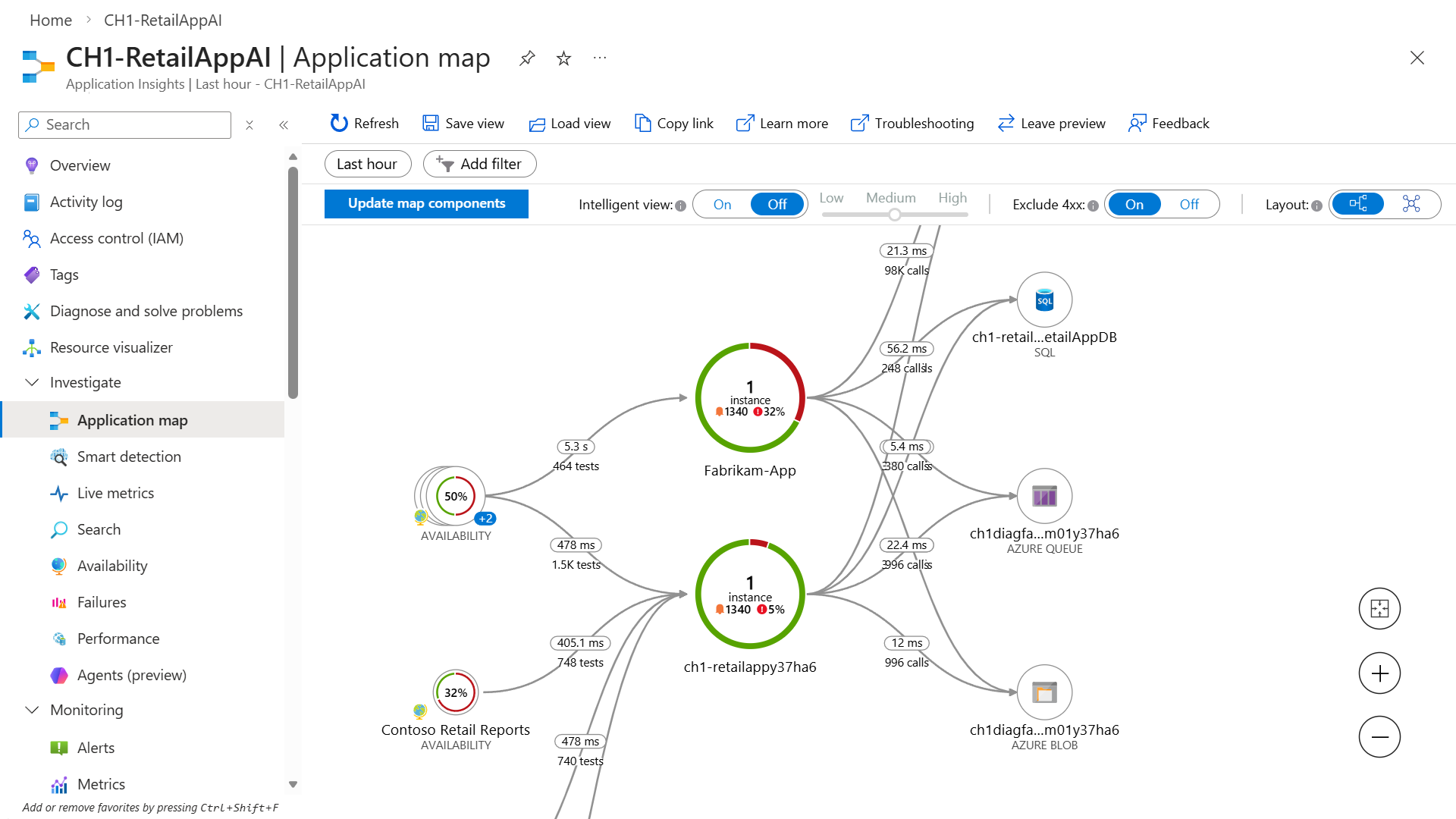
Activity timelines must reconcile platform traces, MCP knowledge searches, and UI counts. Persist normalized events, not only chat bubbles. Count knowledge searches separately from generic tool invocations. Traceability is part of the customer contract for regulated knowledge agents.

Application Insights application map intelligent view

Figure 1. The shell shows activity chips. Correlated traces must tell the same story, or support has three truths. Source: Microsoft Learn: Application Insights correlation.

Azure Monitor Application Insights overview

Figure 2. Persist normalized activity events and reconcile them with platform traces. UI counts alone are not an audit trail. Source: Microsoft Learn: Application Insights overview.