

Key takeaways
- Treat auth session, UI state, and agent conversation as three separate clocks.
- Own the conversation list in your API; exclude playground and portal junk.
- Persist a durable conversation id before you open the stream.
- Define refresh, quit, recycle, and token-renewal behavior in an ADR.
- Show incomplete runs from server truth, not EventSource liveness.
- Keep auth lifetime and conversation lifetime separate in support language.
Users expect ChatGPT rules: close the tab, come back, the thread is still there. Platform agent services often have their own conversation store. Your shell is a third thing.
If those three disagree, you get untitled threads from the portal, agents that look "stopped" after refresh, and incomplete chats that vanish after a new sign-in.
Named model: three clocks
- Auth session: MSAL cache, cookies, token lifetime. Proves who is calling. Does not pick which thread to open.
- App UI state: selected agent, panels, drafts, scroll. Usually disposable. Losing it should feel like closing a drawer.
- Agent conversation: messages, runs, tool calls, citations. Lives in the platform or your backend, keyed to the user.
- Contract: only clock (3) carries durable meaning across tabs. Still signed in is not still in the same chat.
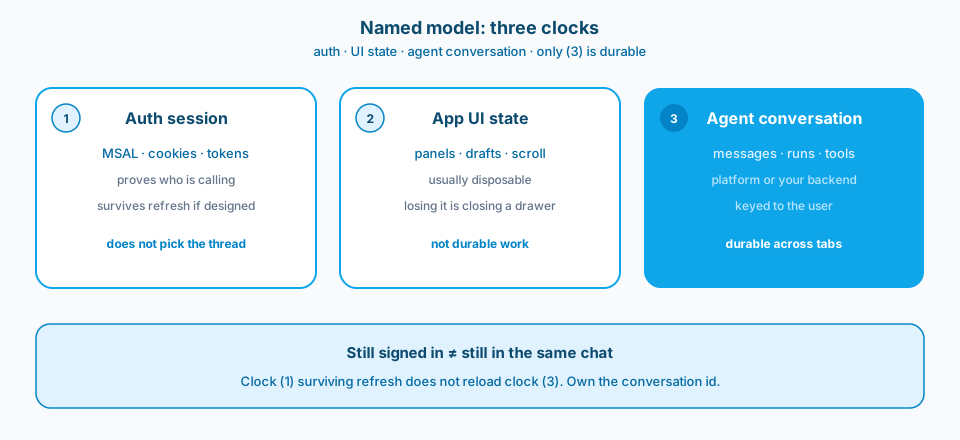
Figure 1. Auth, UI state, and agent conversation are three clocks. Only the conversation clock should survive quit and refresh as product history.
Context and constraint
Bugs that look like model failures often turn out to be session boundaries. The run was fine. The UI lost the id. Or the UI showed a portal thread the user never started in the app. Refresh and quit are the product contract, not edge cases.
- Auth session. MSAL cache, cookies, token lifetime. Survives refresh if you design it to. Proves who is calling. Does not pick which thread to open.
- App UI state. Selected agent, open panels, local drafts, scroll position. Usually disposable. Losing it should feel like closing a drawer, not losing work.
- Agent conversation. Messages, runs, tool calls, citations. Should live in the platform or your backend, keyed to the user, not to a fleeting browser tab.
The recurring mistake is assuming (3) is automatic because (1) works. Sign-in surviving refresh does not mean the conversation graph survived, or that your shell knows which conversation to reload. "Still signed in" and "still in the same chat" are different sentences.
Figure 2 is the Learn framing for SPA-to-API auth: the shell acquires tokens and calls APIs. Conversation durability is a separate design.
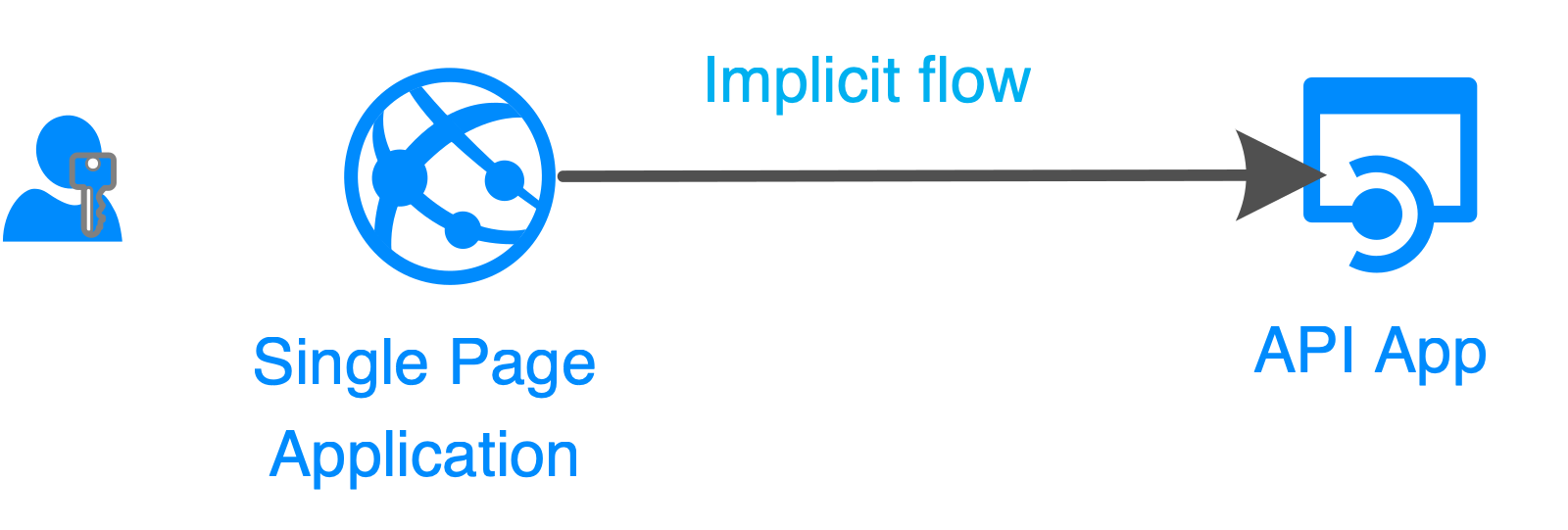
Figure 2. The shell acquires tokens and calls APIs. Conversation durability is a separate design. Source: Microsoft Learn: authentication flows and app scenarios.
What "still working in the platform" actually means
Platform stores can retain runs after the browser dies. That is useful. It is not a product promise you can paste into a support FAQ without tests.
That durability does not mean your shell should:
- list every conversation in the project, including playground and API experiments
- resume a run without a durable conversation id in your own store
- pretend a SSE stream that died mid-token is still interactive without a reconnect protocol
- treat portal-created untitled threads as first-class product history
Treat platform durability as a capability to verify with quit and refresh tests on a build that looks like production. Recycles, token renewal, and two open tabs show the real path.
Design
1. Own the conversation list in your API
Only show threads created through the shell. Users should not inherit untitled playground chats or sibling experiments from the same platform project. If operators need portal visibility, give them the portal. Filtering at render time is not enough; the list endpoint should already be honest.
2. Persist before you stream
Create the conversation record first. Then stream. If the backend recycles and the UI loses the SSE connection, you still have an id to reload history or show a clear "run ended" state. Local-only ids until the first token are how blank-slate refresh bugs are born. Figure 3 is that ownership order.
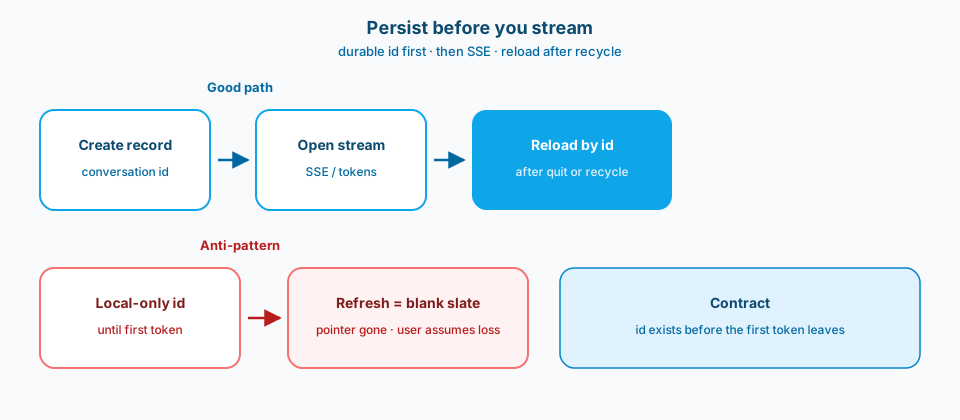
Figure 3. Create the record first. Then stream. Local-only ids until the first token are how blank-slate refresh bugs are born.
3. Define refresh behavior in an ADR
Reasonable options:
- reload history for that conversation id
- detect an in-flight run and offer continue or wait
- fail closed with an explicit message
Pick one per product surface. Document it. Test it on a real build with quit, refresh, and token renewal. Do not leave F5 behavior as tribal knowledge.
4. Keep auth lifetime and conversation lifetime separate
A user can stay signed in and still lose a run. A user can renew tokens and still open yesterday's thread. Mixing those clocks creates support tickets that sound mystical: "the agent stopped" when the stream died, or "I lost my chat" when the UI never stored the id against the principal.
5. Represent incomplete runs as first-class UI state
Long tool calls will outlive a tab. Show "running," "interrupted," or "ended without reply" from server truth, not from whether the EventSource is still open. Figure 4 is the UI contract.
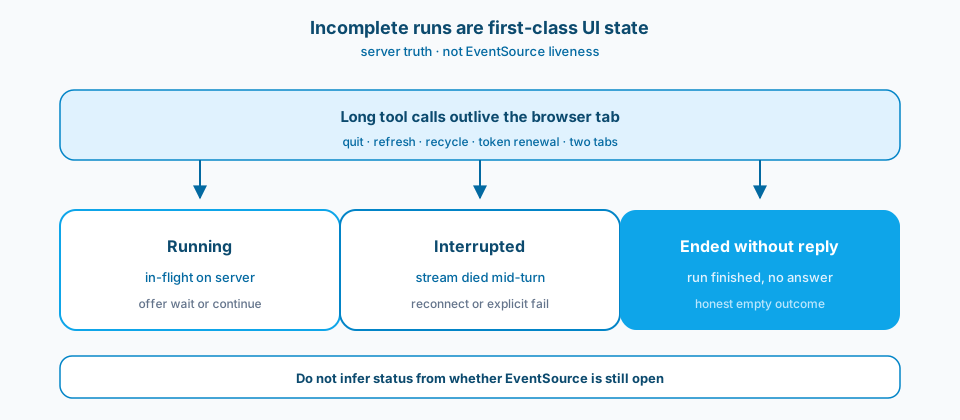
Figure 4. Running, interrupted, and ended without reply are product states. Infer them from the server, not from whether EventSource is still open.
Figure 5 is the Learn framing for private networking. Network posture for the shell is independent of conversation storage. Private endpoints do not invent session semantics.
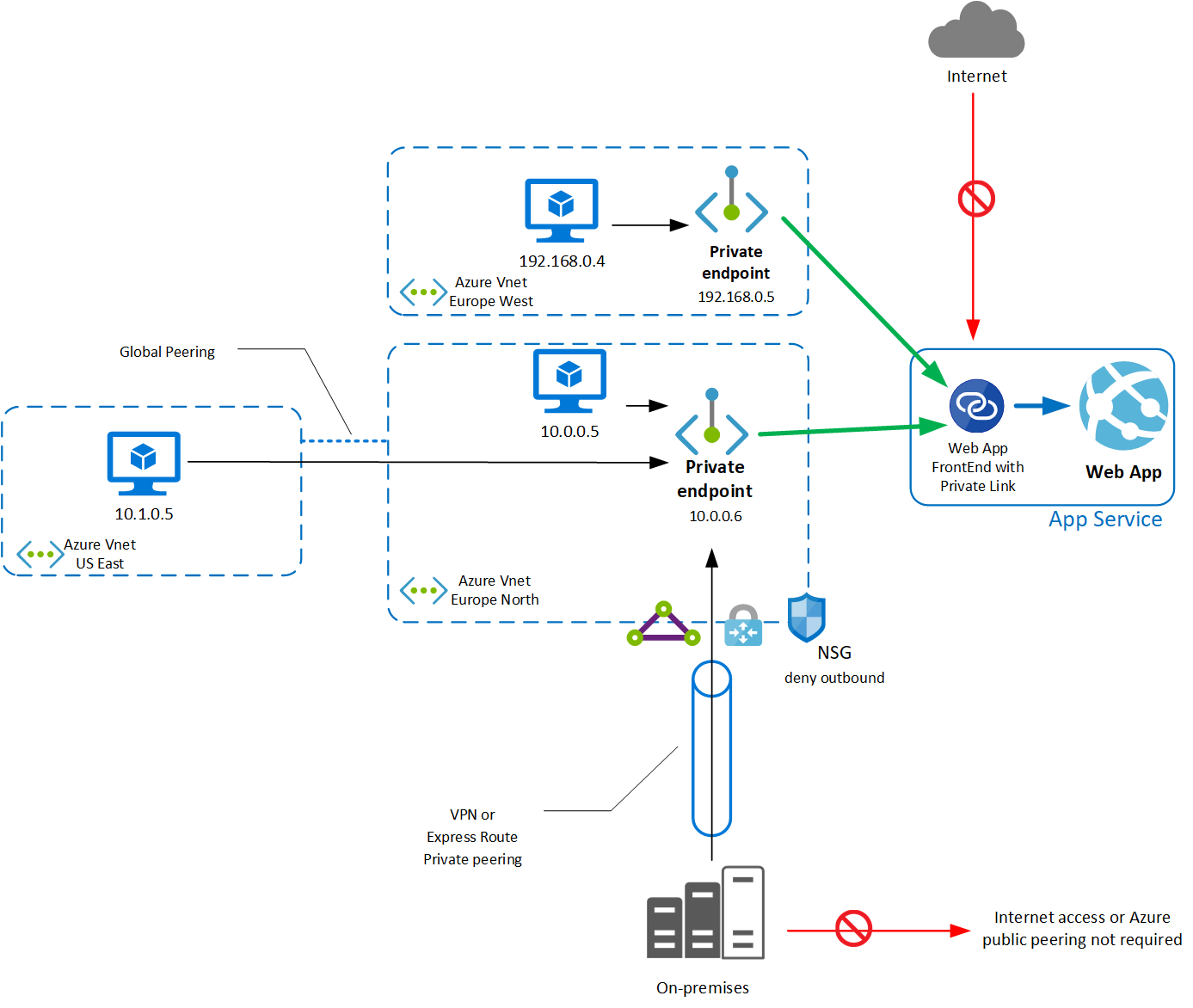
Figure 5. Network posture for the shell is independent of conversation storage. Source: Microsoft Learn: App Service private endpoints.
Failure modes
Platform-wide list in the shell. UI shows platform-wide chats mixed with in-app chats. Confusing, and it can expose chats the user never started. Playground junk lands next to real work.
Refresh with no conversation id. Refresh kills the run and the UI has no conversation id. The user sees a blank slate and assumes data loss. Often the platform still has the run; your shell threw away the pointer.
Ids never tied to the principal. New sign-in cannot open incomplete chats. Ids were never stored against the user principal, or they lived only in sessionStorage keyed to a tab.
In-memory streams only. Backend restart drops in-memory streams with no durable transcript. Works on one box until the first recycle or scale-out.
Optimistic UI without server ack. Looks fast until two tabs disagree or a reconnect replays half a turn.
Reconnect equals hope. Reconnect is "refresh the page and hope." For agents that call tools for minutes, hope is not a protocol.
What to copy / what not to copy
Copy
- Source of truth for messages (platform store vs your DB vs both).
- Which chats appear in the shell list, and which are excluded (playground, other apps, deleted).
- Behavior on refresh, quit, backend recycle, and token renewal.
- How incomplete and interrupted runs are represented in the UI.
- Retention and deletion tied to the user identity.
- Reconnect expectations for long tool calls, or an explicit "not supported" with matching UX.
Do not copy blindly
Owning conversation metadata in your backend adds storage and deletion work (GDPR, account offboarding, "delete my history"). Relying only on the platform store can be simpler until list filtering and product UX need fields the platform does not give you cleanly.
Long-running tool calls need a reconnect story. That is harder than a pure chat toy. Budget for it if your agents call tools that take minutes.
Private networking and IP allowlists protect the plane. They do not fix session semantics. You still need the ADR.
Primary references: Microsoft Learn: authentication flows and app scenarios, App Service private endpoints, plus your platform's conversation APIs for the agent runtime you ship against.
Auth session, UI state, and conversation state are three clocks. Draw all three, or your shell will keep lying politely to users.