
Key takeaways
- Display-name standards are mandatory for new Fabric workspaces; exceptions expire.
- Catalog and identifiers change only with an explicit automation impact plan.
- Renames run as programs with old-to-new maps and owners.
- Legacy owner prefixes are removed when they no longer reflect ownership.
- Naming docs live beside Variable Library and deploy-target maps.
- CI, monitors, and runbooks update in the same change series; eternal aliases are forbidden.
Inconsistent workspace display-name prefixes look cosmetic until CI bindings, support scripts, and onboarding docs all grow translation layers. Every new engineer learns a dialect map. Every pipeline encodes an old convention in a string.
Rename once. Display names are for humans; catalog and lakehouse names may stay stable on purpose. Prefix chaos multiplies CI, docs, and scripts. Do the rename as a program with an old-to-new map. Strip legacy owner codes when they no longer mean ownership. Naming standards belong in platform docs next to Variable Library maps. Perpetual translation is more expensive than a planned rename.
Naming is a control plane for humans and automation. Treat drift as architecture debt.
Named model: rename once with a map
- Display: human-friendly labels that may clarify over time; standards plus time-bounded exceptions.
- Catalog: lakehouse and resource identifiers wired into deployments; stay stable unless an impact plan says otherwise.
- Map: old-to-new table with owners, CI checklist, and communication waves. Programs have end states; hobbies do not.
- Same change set: pipelines, monitors, and runbooks update with the rename. Eternal aliases recreate the tax you meant to delete.
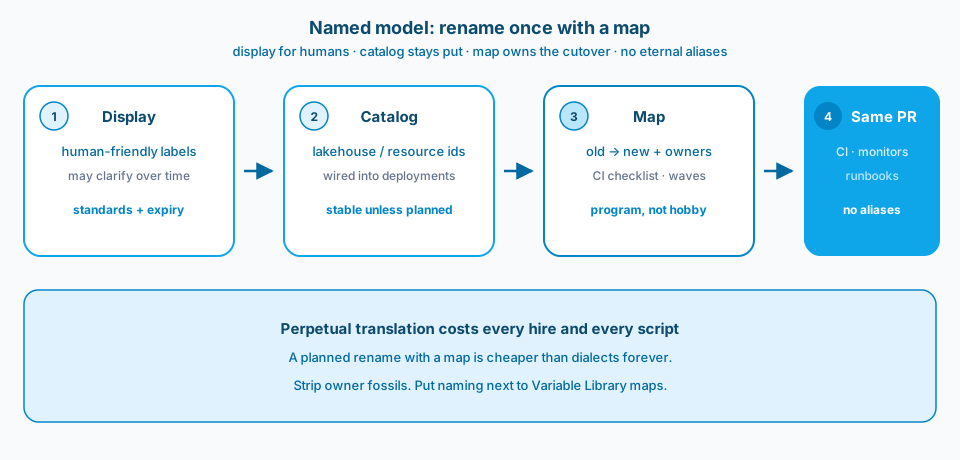
Figure 1. Rename once with a map. Clarify display names for humans. Keep catalog identifiers calm for automation. Cut over with a written map and update CI in the same breath.
Context and constraint
Picture support runbooks that spend more lines translating names than diagnosing failures. The platform is fine. The vocabulary is not. A one-time rename with a map and stable catalog names removes a tax nobody approved.
Display names can evolve when they confuse operators. Catalog names can remain stable when they are wired into deployments. Mixing those concerns produces either brittle renames that break CI or frozen display names that mislead forever. Choose which strings are stable, which are friendly, and document both.
Figure 2 is the Learn workspace surface. Treat naming as platform architecture, not stickers on the door.
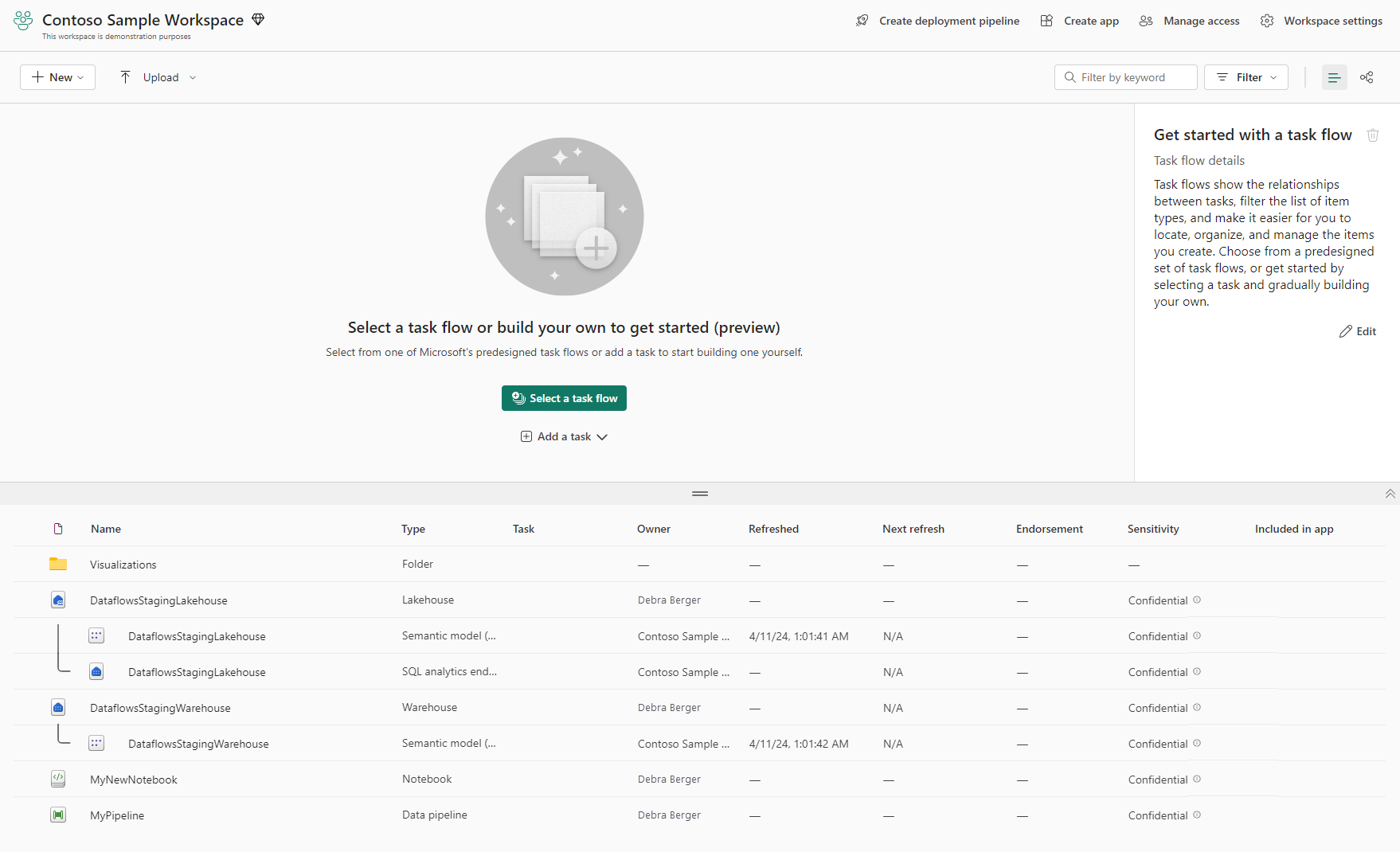
Figure 2. Workspace and lakehouse naming is platform architecture. Display names should guide humans without freezing bad prefixes forever. Source: Microsoft Learn: workspaces.
Separate lanes, one platform
1. Separate display names from catalog stability
Tell the platform which identifiers automation must keep and which labels humans may clarify. Renaming a display label should not require rewriting every notebook path if catalog names stayed put. Clarity without breakage is the point. Figure 3 is the lane split.
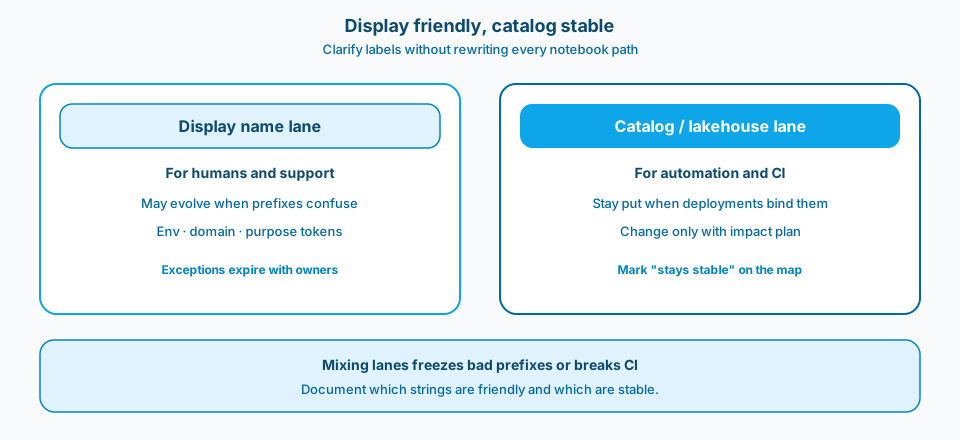
Figure 3. Display friendly, catalog stable. Mixing lanes freezes bad prefixes or breaks CI. Document which strings are friendly and which stay put.
2. Kill prefix chaos with a standard
Pick environment, domain, and purpose patterns once. Publish examples. Reject new workspaces that invent a fourth dialect. Prefixes that encode retired efforts or old team nicknames become unpaid history lessons. Figure 4 is the cut from dialect tax to one published standard.
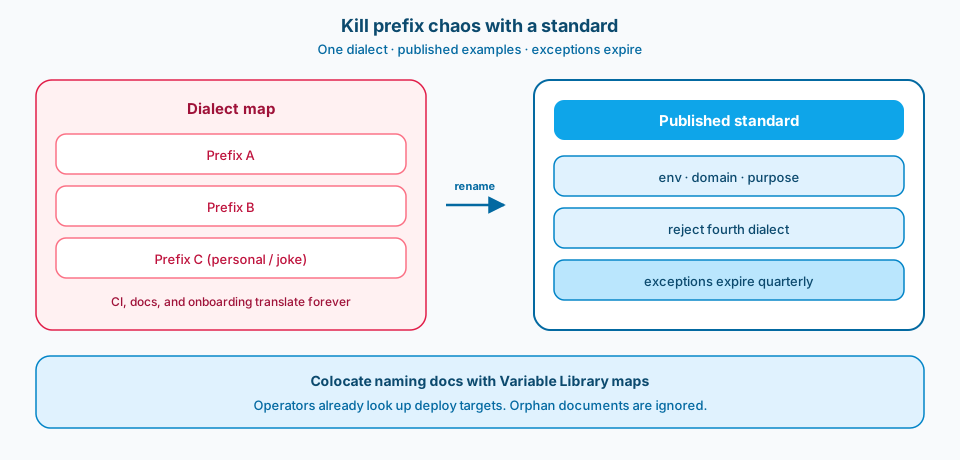
Figure 4. Kill prefix chaos with a standard. One dialect, published examples, exceptions that expire. Put the rules next to Variable Library maps where deployers already look.
3. Run rename as a program with a map
Old-to-new tables, owners, CI search/replace checklists, and communication dates. A casual Friday rename of "a few" workspaces strands half the scripts. Programs have end states; hobbies do not.
4. Strip legacy owner codes when ownership moved
If a prefix still shouts a former owner that no longer owns the workspace, it trains the wrong escalation path. Replace with domain ownership language. Nostalgia is not a support strategy.
5. Colocate naming docs with Variable Library maps
People already look up deploy targets. Put naming rules beside them. Orphan naming documents are ignored. Platform docs that sit on the operator path get used.
6. Update CI bindings and scripts in the same change set
Searches for old display names in pipelines, monitors, and runbooks belong in the rename PR series. Leaving "aliases" forever recreates the translation layer you meant to delete.
What the old-to-new map must include
For each workspace: old display name, new display name, stable catalog/resource identifiers, owning team, CI locations that reference it, monitoring jobs affected, and whether lakehouse names change or stay. Explicit "stays stable" columns prevent helpful engineers from "cleaning" identifiers that deployments need. Maps are boring. Boring prevents outages.
Communicating the rename without chaos
Announce the why (operational tax), the when (maintenance window or phased waves), and the what does not change (catalog names, paths if stable). Give people a search string for old names in their private scripts. Offer office hours once. Silence after rename guarantees shadow aliases. Over-communication for a week beats years of dialect coaching.
Naming standards that survive contact with reality
Include environment tokens, domain tokens, and forbidden patterns (personal names, owner fossils, joke prefixes). Provide a request path for exceptions with expiry dates. Endless exceptions recreate chaos. Zero exceptions create shadow IT workspaces. Time-bounded exceptions with owners are the middle path. Review exceptions quarterly next to Variable Library reviews so naming stays a living control.
Failure modes
Cosmetic dismissal. "Just names" until onboarding takes a week.
Rename without map. Folklore replaces documentation.
Catalog churn by accident. Automation breaks; panic reverts.
Owner fossils. Escalations go to the wrong team.
Docs elsewhere. Standards never reach creators.
Alias forever. Translation layers become permanent products.
What to copy / what not to copy
Copy
- Display-name standards are mandatory for new Fabric workspaces; exceptions expire.
- Catalog/lakehouse identifiers change only with an explicit automation impact plan.
- Renames run as programs with old-to-new maps and owners.
- Legacy owner prefixes are removed when they no longer reflect ownership.
- Naming docs live beside Variable Library and deploy-target maps.
- CI, monitors, and runbooks update in the same change series; eternal aliases are forbidden.
Do not copy blindly
A rename program costs coordination and careful CI work. Perpetual translation costs every new hire and every script. Stable catalog names keep automation calm and can leave ugly historical identifiers in places humans rarely see; that trade is often correct. Strict standards slow workspace creation slightly and speed support forever. Deleting aliases feels harsh; keeping them feels kind and rebuilds the maze.
Primary references: Fabric workspaces and your Variable Library deploy-target ADR. Pair the naming standard with your monitoring runbook so operators see one vocabulary.
Standardize prefixes. Separate display friendliness from catalog stability. Rename once with a map. Strip fossils. Update automation in the same breath. Put the rules where deployers already look. Architecture includes the words on the door.