

Key takeaways
- Prefer focused screens and a navigation model over one mega-screen that owns the whole process.
- Design for delegation first; treat blue underlines as architecture debt, not editor noise.
- Stop N+1 gallery lookups; prefetch with shaped Dataverse views and argue from Monitor traces.
- Put eligibility, aggregation, and consistency in Dataverse; keep Power Fx for interaction.
- Budget concurrent opens (many users at the same moment), not only cold start on one laptop.
- Keep identity, Dataverse privileges, and ALM packaging in the same conversation.
Canvas is wonderful until one screen becomes a distributed system: nested galleries, OnStart fan-out, and business rules living in Power Fx because it was faster.
Microsoft's own performance reference architectures push a clear direction. Move heavy work toward Dataverse and keep screens focused.
Named model: canvas as surface, Dataverse as engine
- Canvas surface: focused screens, navigation, and Power Fx for interaction only. Thin control trees that unpack cleanly in ALM.
- Dataverse engine: views, calculated or rollup columns, plugins, and custom APIs own eligibility, aggregation, and cross-table consistency.
- Platform contract: delegable queries, no OnStart full-table collects, no N+1 lookups, Monitor budgets that include concurrent opens, plus identity and package boundaries.
- Contract: at platform scale, canvas is the interaction surface. Dataverse owns the heavy lifting. Nested app-side formulas are not a shared rules engine when several apps must agree.
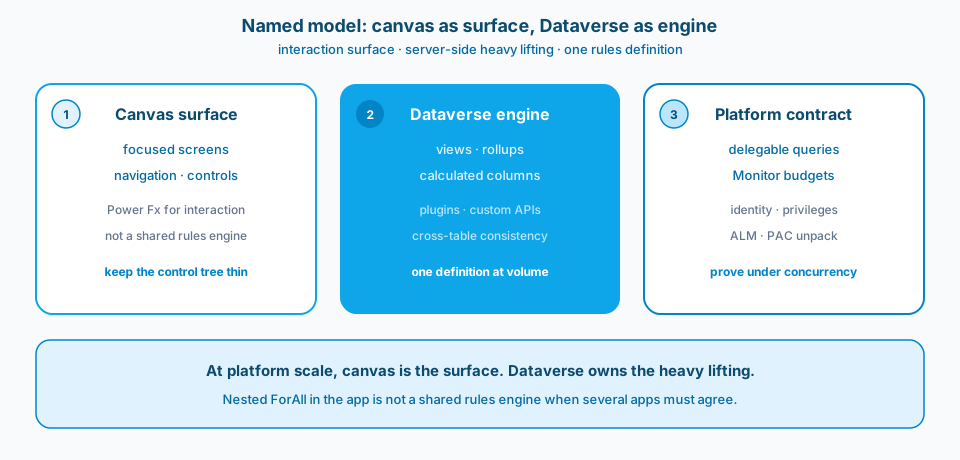
Figure 1. Canvas as surface, Dataverse as engine. Keep Power Fx for interaction. Put shared rules where the data lives.
Context and constraint
A canvas app can feel snappy against a small demo table and fall apart once the table grows and many users share a busy Dataverse. The formulas were not "wrong." The work was in the wrong place.
Delegation is not a warning to silence. It is the difference between querying the table and querying a sample. Microsoft documents that when a query cannot be delegated, Power Apps processes a limited local batch (500 by default, up to 2,000 if you raise the limit). Raising the limit does not fix the design. It postpones incomplete results until the table grows.
Concurrent users amplify chatty patterns. N+1 lookups, OnStart collection loads, and idle screens that keep querying turn a fine demo into a platform incident.
Figure 2 is Microsoft's platform-aligned canvas performance framing. The direction is clear: less app-side fan-out, more server-side work.
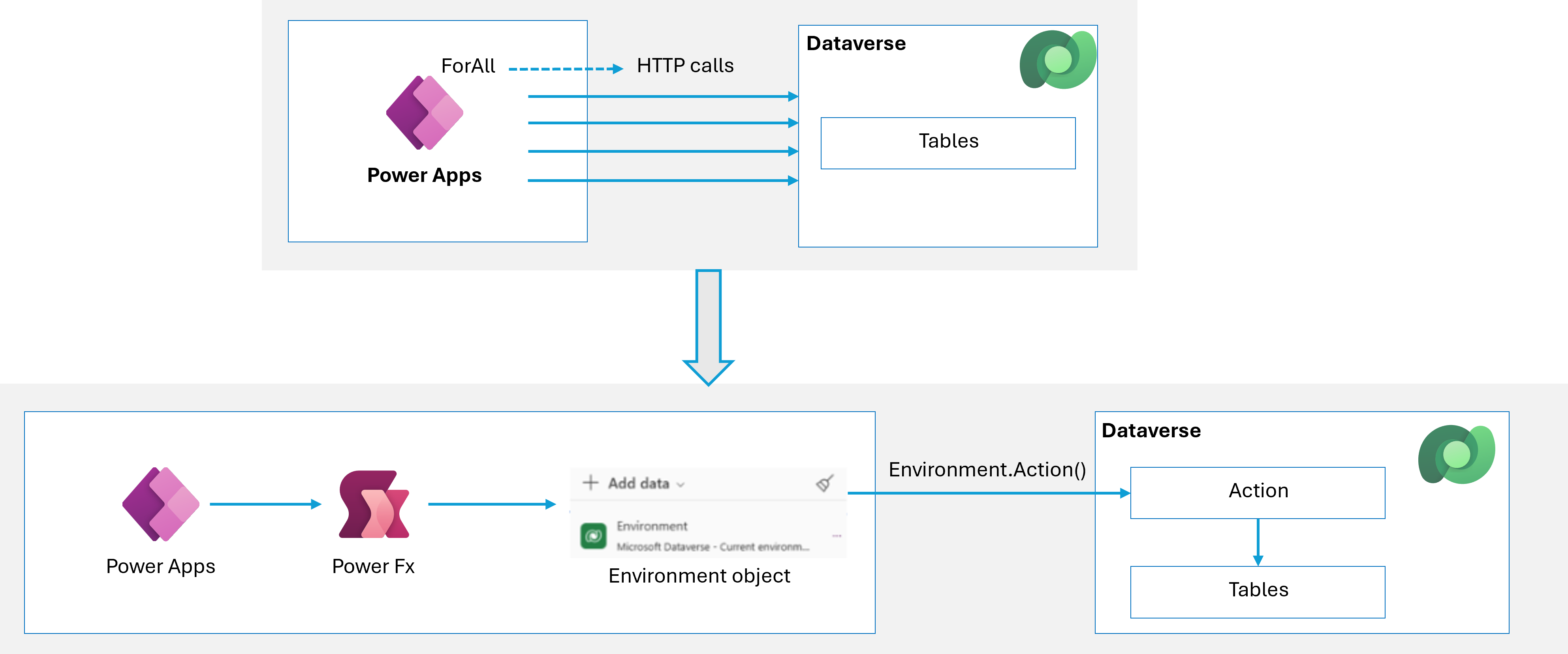
Figure 2. Optimize canvas apps with platform-aligned architecture. Source: Microsoft Learn: optimize canvas app performance.
Design
1. Split mega-screens
One screen that owns the whole business process is hard to load, hard to unpack with PAC, and hard to review in ALM. Separate screens unpack cleanly, load less unused control tree, and give you navigation boundaries you can reason about. Prefer focused screens over a single scrolling masterpiece.
2. Design for delegation first
Write filters and sorts the data source can run. Against Dataverse, prefer simple comparisons, StartsWith, and indexed columns. Treat blue underlines as architecture debt, not editor noise. If a requirement cannot be expressed as a delegable query, move the logic: Dataverse views, calculated or rollup columns, plugins, or a narrowed first filter then local polish. Do not load "all rows" into a collection on start and pretend that is a database.
3. Stop N+1 data access
Per-cell lookups and nested galleries that each hit Dataverse create fan-out under concurrent use. Prefetch what the screen needs, use views that already shape the rowset, and filter server-side. Measure with Monitor: argue from traces, not from feelings about a spinner.
Figure 3 is the data-access contract that keeps production from looking complete until row 501.
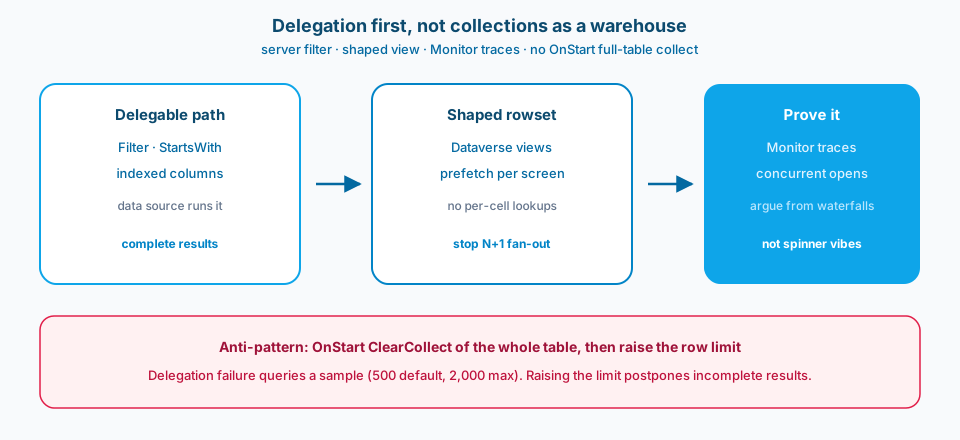
Figure 3. Delegation first. Shaped views and prefetch beat collections used as a warehouse. Raising the data row limit only postpones incomplete results.
4. Put rules where the data lives
Complex eligibility, aggregation, and cross-table consistency belong closer to Dataverse than in nested ForAll in the app. Power Fx is excellent for interaction. It is a poor shared rules engine when several apps must agree. Server-side logic gives you one definition and less data sent to the app.
5. Budget concurrent behavior, not only cold start
OnStart fan-out that looks fine for one maker becomes painful when many users open the app in the same window. Idle screens that keep timers and queries alive waste capacity. Concurrent users need fewer round trips per action and less work before first interaction. Performance budgets should include "many people opened the home screen at once," not only "my laptop after a rebuild."
Figure 4 is why screen split and concurrency belong in the same design conversation.
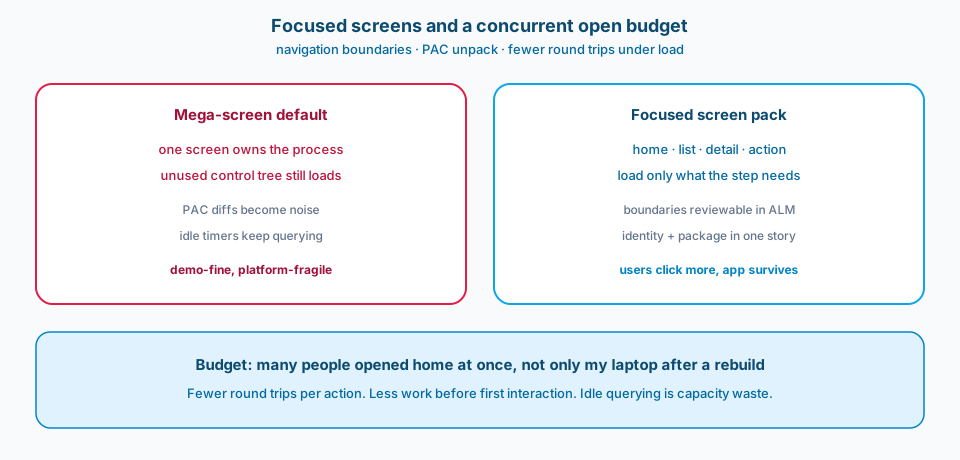
Figure 4. Focused screens unpack cleanly and load less unused tree. Budget concurrent home opens, not only a cold start on one laptop.
6. Keep identity and ALM in the same conversation
Even canvas apps sit in a wider identity and ALM story. Who can run the app, which Dataverse privileges they hold, and how the package moves across environments are not afterthoughts. A fast screen with the wrong security role is still wrong.
Figure 5 is the Learn framing for roles and privileges. Speed without the right access model is still wrong.
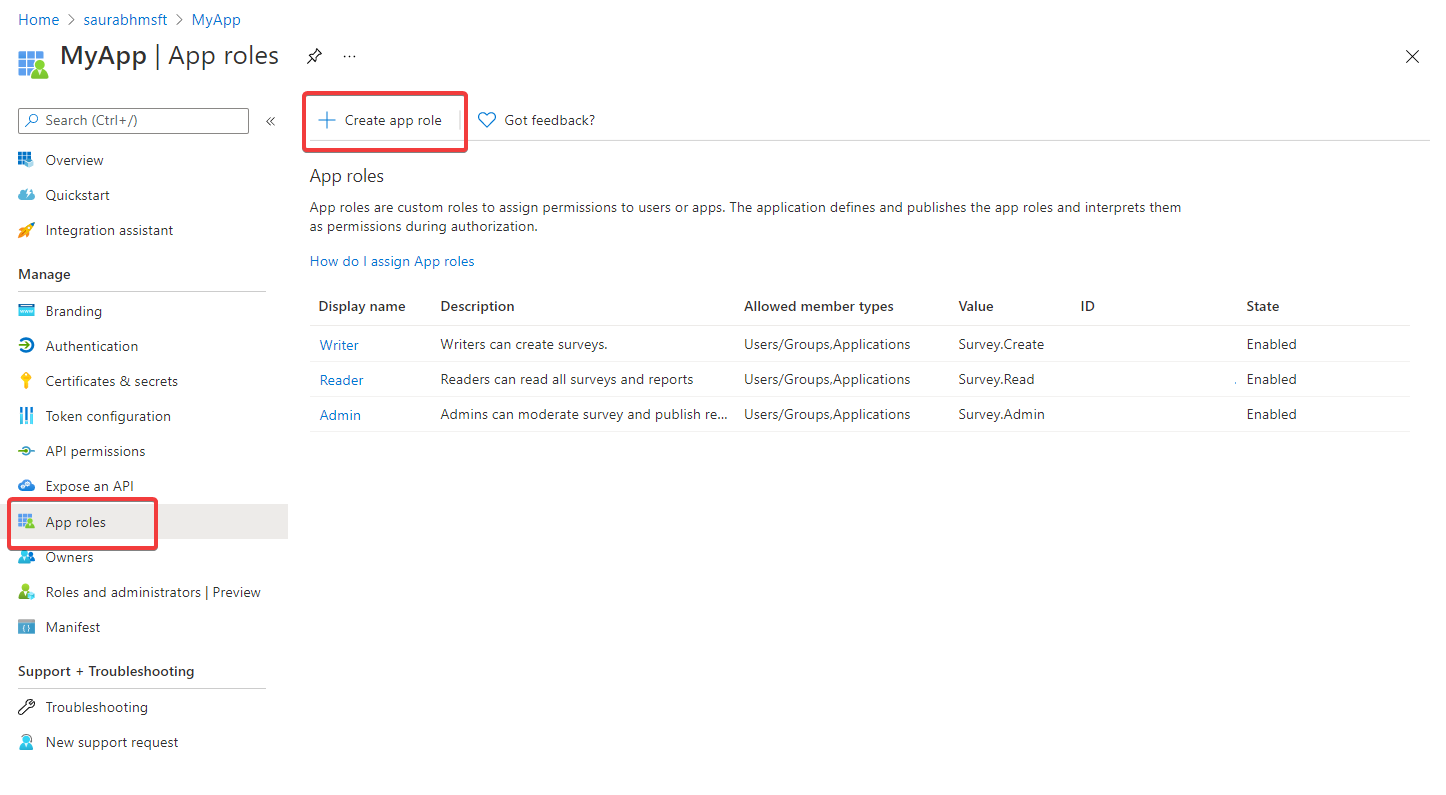
Figure 5. Even canvas apps sit in a wider identity and ALM story. Source: Microsoft Learn: security roles and privileges.
Failure modes
One screen owns the process. The YAML surface becomes unreviewable. PAC diffs are noise. Load cost grows with every control you forgot was there.
Non-delegable formulas in production. Results look complete until row 501. Raising the data row limit to 2,000 schedules the same bug for later.
Collections as a warehouse. OnStart loads thousands of rows "for speed." Concurrent opens hammer Dataverse and still miss rows the filter never saw.
Business rules only in Power Fx. The next app reimplements the same eligibility. Numbers disagree. Nobody knows which formula is canonical.
Idle querying. Screens leave connections and timers running. Concurrent users pay for work nobody asked for.
Monitor never opened. Teams debate Gallery properties while the trace shows a waterfall of lookups. Without Monitor, you optimize the wrong layer.
What to copy / what not to copy
Copy
- Screen boundaries and navigation model (no mega-screen as the default).
- What logic is Dataverse (views, calculated or rollup columns, plugins) versus Power Fx (interaction only).
- Data access patterns approved for production: delegable queries, no OnStart full-table collects, no N+1 gallery lookups.
- Performance budgets verified with Monitor, including concurrent open scenarios.
- Data row limit policy: raising above default requires a written exception and a plan to restore delegation.
- ALM packaging expectations: screen and component boundaries that unpack cleanly with PAC.
Do not copy blindly
Pushing work to Dataverse means more modeling and sometimes more pro-dev help (plugins, careful views). Makers lose some "change it in the formula bar this afternoon" freedom. You gain correctness at volume and fewer surprises under concurrent load.
Splitting screens adds navigation design. Users click more. The alternative is a single screen that never finishes loading on a busy day.
Strict delegation rules slow feature delivery when a fancy app-side filter would ship tonight. Ship the fancy filter only on a proven small set, or redesign so the server can answer. Incomplete results in production are worse than a delayed story.
ALM discipline (smaller apps, clearer boundaries) costs process time. Giant single-app packages cost incident time.
Primary references: Microsoft Learn: optimize canvas app performance, How to create performant Power Apps, and Understand delegation in canvas apps.
That is how canvas stays wonderful after the demo data grows up.