

Key takeaways
- Treat Fabric deploy as workspace surgery: item graph, stable ids, and a written never-blind list.
- Git reports the source delta; the deployer reports what it will reconcile. Those sets are related, not identical.
- Keep workspace, , and connection GUIDs in config. Display names are labels.
- Parameterize connections and deployment rules so Prod does not inherit Dev bindings.
- Group by release train; exclude or specially handle connection-sensitive item types.
- Prove filters, substitution, and connection resolution in a disposable sandbox before shared stages.
Your pipeline runs. You did not touch half the notebooks. They still publish.
That is not always a bug in your YAML. Fabric deployment models and item pairing often optimize for workspace consistency, not git-style minimal diffs. If you design as if only changed files move, production will teach you otherwise.
Treat Fabric deploy as workspace surgery with an explicit item graph, stable identities, and a written list of what must never promote blindly. Git tells you what changed in source. The deployer tells you what it will reconcile in the target. Those sets are related, not identical.
Named model: git change versus deploy surface
- Git change set: files you touched, path filters, and the PR diff. Answers what changed in source.
- Deployer reconcile set: the item graph the tool will publish for a folder or pipeline stage, including paired ride-alongs.
- Never-blind list: connections, bindings, semantic remap rules, stage-specific access, and personal spike defaults that must not promote without explicit rules.
- Contract: related sets, not identical sets. Dry-run until humans can name every item the tool will touch.
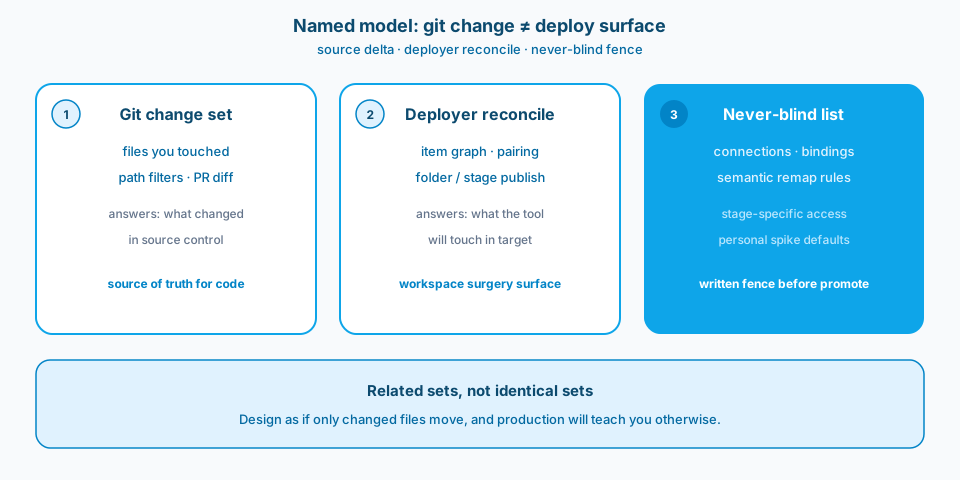
Figure 1. Git reports the source delta. The deployer reports the workspace surgery surface. The never-blind list is the written fence. Design as if those sets are identical and production will correct you.
Context and constraint
I have watched fabric-cicd and deployment pipeline runs republish a wide graph of items after a one-line notebook edit. The git diff was tiny. The workspace operation was not. Blast radius is a design input for analytics CI/CD, not an afterthought for the incident channel.
Deployment pipelines, fabric-cicd, and portal promotes each have opinions about pairing, parameterization, and which item types ride along. Know those opinions before the first shared-stage run, and structure folders so a noisy publish cannot rewrite connection-sensitive surfaces by accident.
Figure 2 is the Learn framing for deployment as a workspace operation, not as a file copy of the git delta.
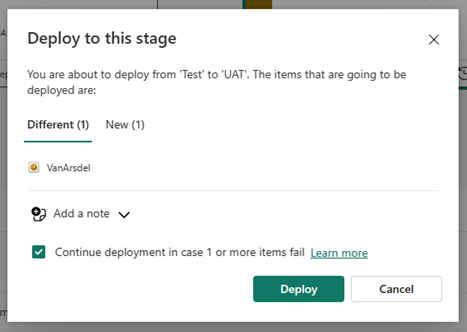
Figure 2. Deployment is a workspace operation. Source: Microsoft Learn: deployment pipelines.
Design for blast radius
1. Stable ids over pretty names
Renaming a workspace display name should not require recreating lakehouses. Keep workspace, lakehouse, and connection GUIDs in config. Display names are labels. Pipelines that key off display strings break the first time someone cleans up branding in the portal. When items are paired across Dev, Test, and Prod, pairing identity is part of your contract. Recreating an item to fix a name often severs pairing and widens the next deploy into a recreate-shaped operation. Figure 3 is that ownership split.
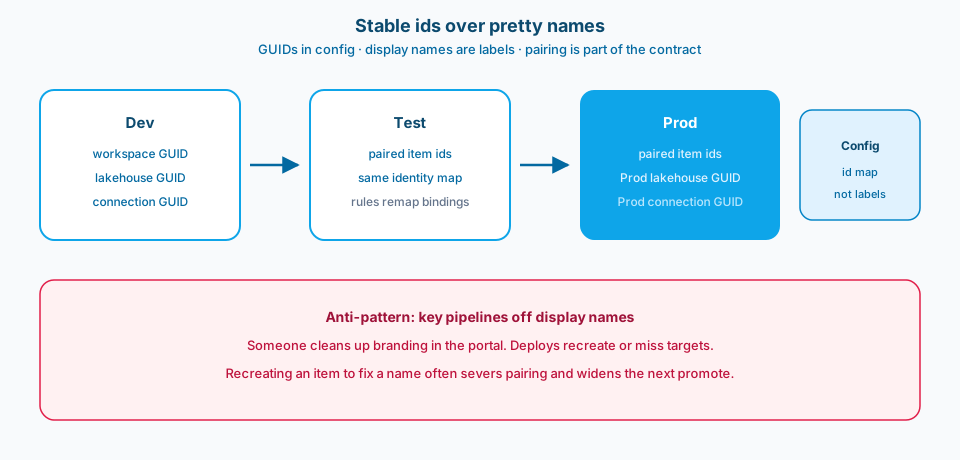
Figure 3. Stable ids travel in config. Display names are labels. Keying deploys off pretty names turns a branding cleanup into a recreate or a miss.
2. Know what your deployer considers a change
Some tools redeploy a graph of items when you deploy a workspace folder or pipeline stage. Dry-run in a sandbox before you trust only deltas. Read the tool's notes on notebooks, semantic models, pipelines, lakehouses, and environment items. "No git change" does not guarantee "no publish." If you use fabric-cicd from Azure DevOps or GitHub, align local scripts with the same paths, parameters, and item filters. Divergent laptop shortcuts become surprises when the server path republishes more.
3. Separate content that must move together from content that should not
Giant monorepo folders with unrelated notebooks invite noisy publishes. Group by release train: shared utilities, domain transforms, semantic models, and runbooks may need different promote rules. Items that embed connections, workspace-scoped ids, or capacity assumptions should be parameterized or excluded from blind promote. Ask per item type: if this republishes unchanged, what breaks? A notebook overwrite might be harmless. A with overwritten parameters might not.
4. Parameterize connections and environment bindings
Variable libraries, deployment rules, and parameterized connections exist so Prod does not inherit Dev lakehouse ids. Use them. Promoting an item that still points at a Dev SQL endpoint is a classic failure: the deploy succeeded and production reads the wrong stage. Identical notebook text does not mean the bound lakehouse is safe. Bindings are part of the deploy surface. Figure 4 is the remap path versus the blind path.
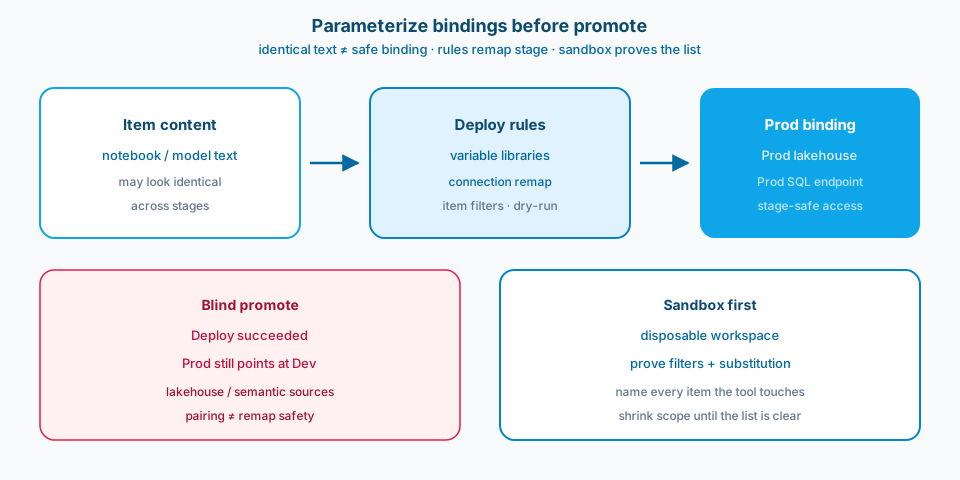
Figure 4. Identical text is not a safe Prod binding. Rules remap connections. Sandbox proof names every item the tool will touch before you promote into a shared stage.
5. Test the pipeline itself in a disposable sandbox
Point CI at a workspace that can be rebuilt. Prove item filters, variable substitution, and connection resolution before you call it production-ready. The first failure should not be in a shared test workspace used for demos. Sandbox proof also shows what unchanged items look like in logs when the tool still touches them. Put that in the runbook.
What not to promote blindly
- Connection objects and gateway bindings that encode environment.
- Semantic models without checking deployment rules for data source remap.
- Lakehouse or warehouse items when the target already holds divergent data you did not intend to reconcile through deploy tooling.
- Workspace identity and access assignments that are stage-specific.
- Ad hoc notebooks with personal defaults still hard-coded from a spike.
- Anything your dry-run cannot name in a change list your humans understand.
If the tool cannot show you the item list cleanly, stop and shrink the scope until it can.
Figure 5 is the Learn framing for paired items across pipeline stages. Pairing is necessary. It is not sufficient without remap rules.
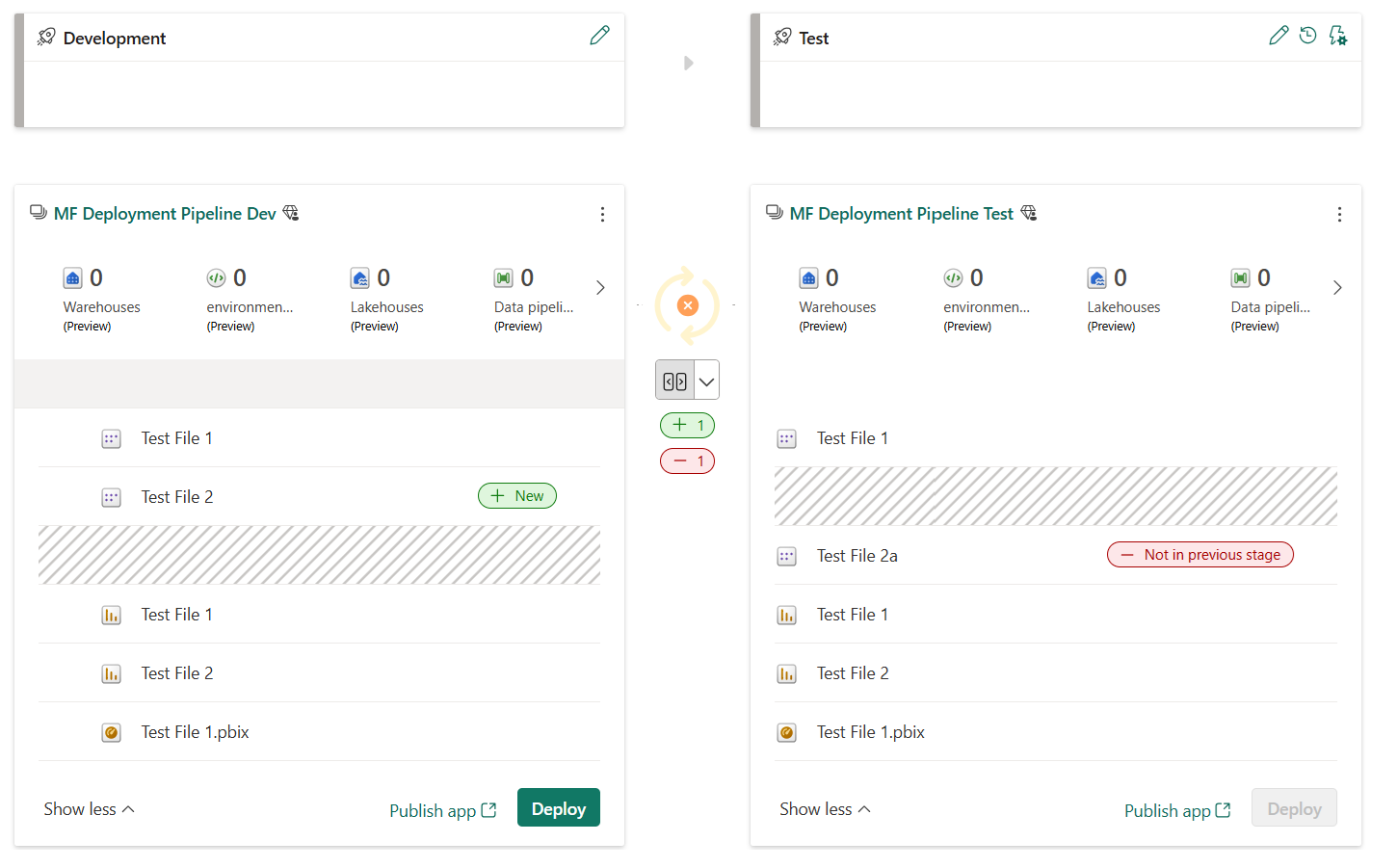
Figure 5. Paired items across pipeline stages. Pairing identity is part of the contract; remap rules still decide what differs per stage. Source: Microsoft Learn: deployment pipelines.
Failure modes
Display rename treated like a new workspace. Config still keys off the old string. Deploys recreate or miss targets.
Local deploy scripts diverge from server fabric-cicd paths. Laptop deploys a subset. Server deploys the graph.
Pipeline triggers on folder noise. Documentation edits or shared utility churn republish domain jobs unrelated to the item that actually changed.
No sandbox proof. First real failure is in a shared stage with business users watching.
Blind promote of semantic models. Parameters and data sources still point at Dev after a successful Prod run.
Assuming pairing equals safety. Paired items still need rules for what differs per stage.
What to copy / what not to copy
Copy
- Source of truth (git versus pipeline UI) and which deployer is canonical.
- What triggers a run, including path filters and whether documentation-only changes are ignored.
- Identity map for workspace, lakehouse, and connection ids across stages.
- Item types that are excluded or specially parameterized on promote.
- Sandbox verification steps before shared Test or Prod stages.
- Expected behavior when the tool republishes unchanged items, with owner sign-off.
Do not copy blindly
Smaller blast radius usually means more packaging work: tighter folders, clearer ownership, more parameterization, sometimes more pipelines. That overhead buys predictable promotes. Aggressive filtering can leave dependents behind and produce half-updated workspaces. Consistency-oriented deployers exist for a reason. Balance minimal-diff aesthetics against "the stage must make sense as a whole," and write that balance down. Sandbox discipline slows the first CI green build. It is still cheaper than explaining why Prod notebooks were overwritten on a Friday afternoon.
Primary references: Intro to deployment pipelines, plus Fabric CI/CD and fabric-cicd docs on Microsoft Learn for item pairing and deployment rules.
CI/CD for analytics platforms is workspace surgery. Plan the incision size.